
![Interactive Product Tours: The Complete Guide for SaaS Teams [2026]](/images/blog/interactive-product-tours-complete-guide-featured.png)
Your users discover 30% of your features. The other 70%? They never know they exist. And they churn thinking your product can't do what they need.
Here's the data: average SaaS feature adoption sits at just 24.5%, according to Chameleon and Pendo industry benchmarks. That means for every 10 features you build, your users actually use two or three. The rest? Invisible.
This is where interactive product tours come in. Teams that implement them see 161% higher user activation, 50% fewer support requests, and 40-60% reduction in support volume within six months. Those numbers aren't hypothetical. They're from companies that stopped hoping users would figure things out on their own.
But here's the thing. Creating tours is the easy part. Keeping them current when your product ships weekly updates? That's where most teams fall apart. Every sprint breaks screenshots. Every UI change makes your carefully crafted walkthrough feel like it belongs to a different product.
This guide covers both sides: how to pick the right product tour software (we compare 10 tools), and how to build a tour strategy that doesn't crumble the moment you ship. You'll get the data, the tools, and the framework to make interactive tours work at SaaS velocity.
Let's get into it.
What Are Interactive Product Tours (And Why Do They Matter)?
An interactive product tour is a guided, in-app experience that walks users through your product's features step by step. Unlike static documentation or video tutorials, tours happen inside the product itself. Users click, explore, and learn by doing, not just by reading.
That distinction matters more than it sounds.
Tours vs. Tooltips vs. Walkthroughs vs. Documentation
| Format | How It Works | Best For | Limitation |
|---|---|---|---|
| Interactive tours | Step-by-step in-app guidance with user interaction | Onboarding, feature adoption | Can overwhelm if too long |
| Tooltips | Single-element hints that appear on hover or click | Quick feature discovery | No guided flow |
| Video walkthroughs | Pre-recorded screen captures users watch passively | Complex workflows | Users can't interact |
| Documentation | Written guides in help center or knowledge base | Reference material | Users must leave the product |
Interactive product tours sit at the intersection of all these. They're hands-on like tooltips but structured like walkthroughs. And the results back this up: companies using interactive demos report 161% higher user activation compared to those relying on static onboarding.
The 3 Types of Product Tours
Not all tours serve the same purpose. Understanding which type you need prevents the biggest mistake teams make: treating every tour like an onboarding flow.
- Onboarding tours - Guide first-time users to their first "aha moment." Get a new user to complete one meaningful action in their first session, and you've dramatically increased their chance of converting.
- Feature discovery tours - Target existing users who haven't found specific capabilities. This is where the 70% problem lives. Your power features sit unused because nobody knows they exist. Feature tours fix that by surfacing the right capability at the right time.
- Contextual help tours - Fire based on user behavior. Someone struggling with a specific workflow? A contextual tour steps in before they give up and open a support ticket. These tours work best when paired with self-service documentation that deflects tickets.
Why Most Product Tours Fail
Here's the uncomfortable truth: most product tours don't work.
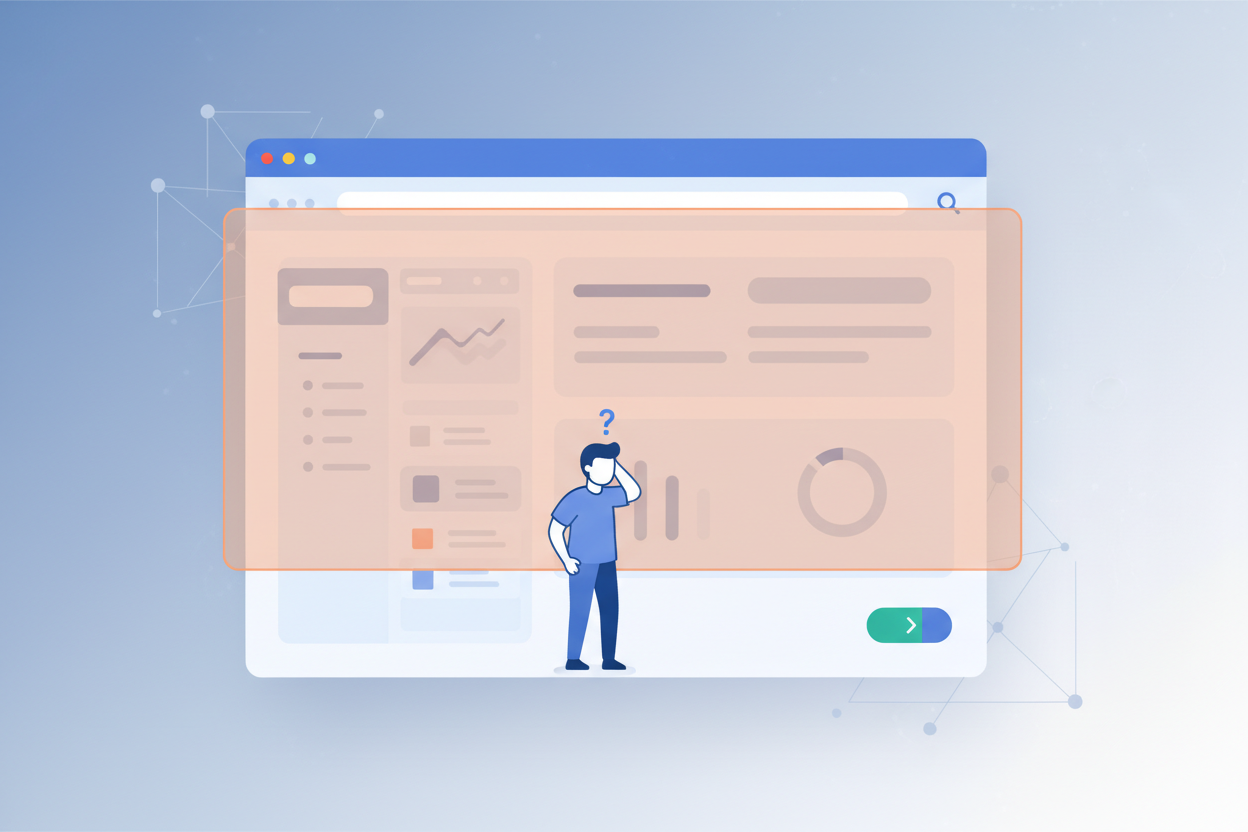
Not because the concept is bad. Because the execution is broken. According to Chameleon's product tour benchmarks, 70% of users skip traditional linear tours. Seven out of ten people dismiss your carefully designed onboarding flow before step two.
Sound familiar?
The 5-Step Completion Cliff
The data on tour length is brutal. Tours with 5 steps or fewer hit a median 34% completion rate. That's already low. But every additional step after that dramatically drops completion. By step 8 or 9, you're talking to almost nobody.
Most teams build tours with 10-15 steps because they want to show everything. The result? Users see step one, feel overwhelmed, and close the modal. Your "comprehensive onboarding" just became your worst first impression.
The Maintenance Problem Nobody Discusses
Here's what none of the tool comparison articles tell you: tours break every time your product changes.
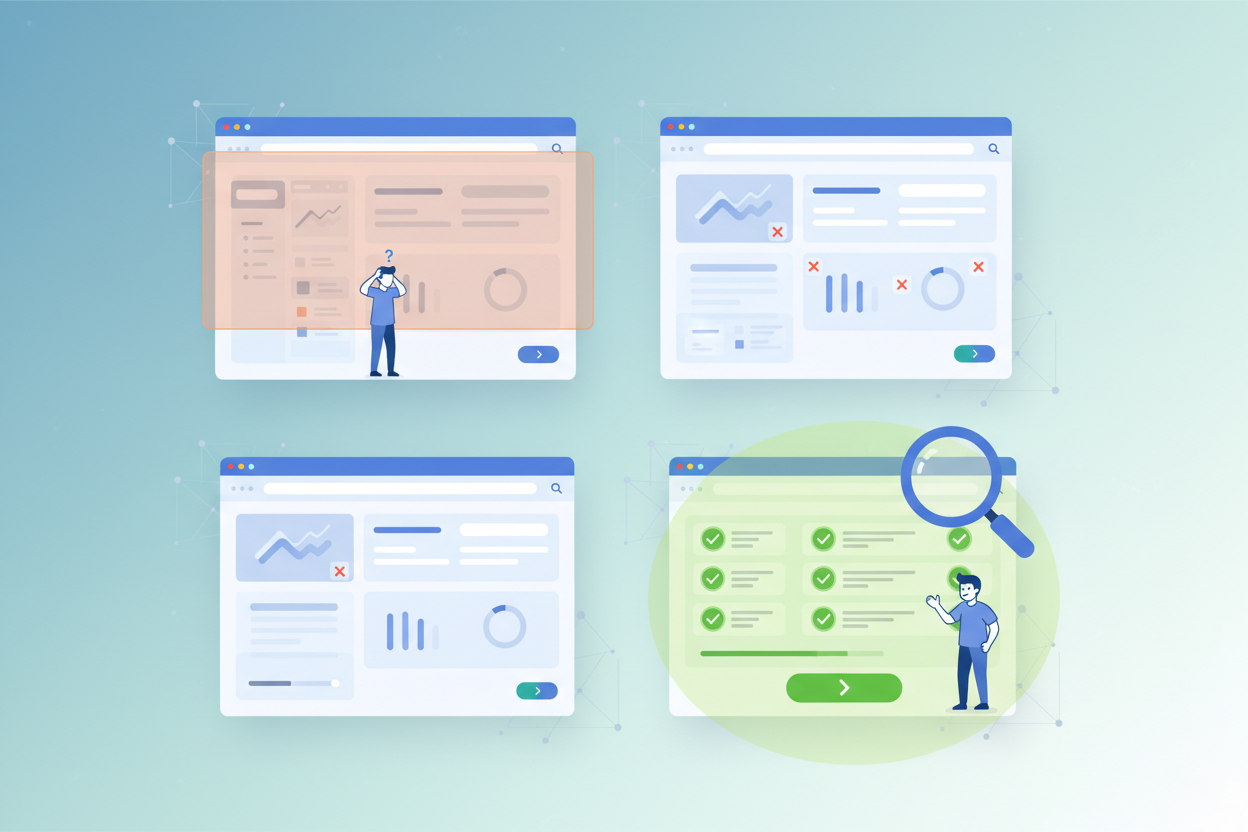
Moved a button? Tour's pointing at nothing. Updated a dropdown? Tour's telling users to click something that doesn't exist. Changed a workflow from three steps to two? Tour now has a ghost step that confuses everyone.
This is the maintenance nightmare. Teams spend hours building tours, then spend more hours rebuilding them after every sprint. Eventually, the broken tours get ignored. Users see outdated guides and lose trust in your in-app help entirely.
This is the same problem that plagues all product documentation. The initial creation isn't the hard part. Keeping it current at shipping velocity is. If you've experienced this with your docs, you're not alone. It's why most product documentation fails.
What to Look for in Product Tour Software
Before comparing specific tools, you need a framework for evaluation. Not every product tour software works for every team, and the feature that matters most is the one nobody puts in their marketing headlines.
Must-Have Features
| Feature | Why It Matters |
|---|---|
| No-code builder | PMs and CS teams need to create tours without engineering resources |
| User segmentation | Different users need different tours based on role, plan, or behavior |
| Analytics | Completion rates, drop-off points, and engagement data drive iteration |
| Multi-format output | Tours, tooltips, checklists, and banners from one platform |
| Integrations | Connect with your analytics stack, CRM, and help center |
| Customization | Match your brand's look and feel so tours feel native |
The Feature Nobody Talks About: Auto-Updating
Here's the feature that separates tools that work from tools that create ongoing maintenance debt: auto-updating capability.
Think about it. Your product ships updates weekly, sometimes daily. Every update risks breaking existing tours. Without auto-updating, your team must:
- Track every UI change across your product
- Identify which tours reference changed elements
- Manually rebuild affected steps with new screenshots and targeting
- Test everything again
- Repeat next sprint
This is why documentation teams spend 80% of their time maintaining content and only 20% creating it. The same ratio applies to product tours.
Tools that auto-update with your product eliminate this cycle. When your UI changes, your tours adapt. No manual rebuilding. No broken screenshots pointing at elements that moved.
This isn't a nice-to-have. For any SaaS shipping at modern velocity, it's the difference between tours that stay useful and tours that decay into tech debt.
10 Best Interactive Product Tour Tools Compared
Whether you're looking for interactive demo software with a no-code builder or an enterprise-grade digital adoption platform, here's an honest comparison of the leading product tour software, including what each does best, where each falls short, and pricing transparency.
| Tool | Best For | Starting Price | Auto-Update? |
|---|---|---|---|
| Appcues | In-app onboarding flows | From $249/mo | No |
| Pendo | Analytics-driven guidance | Custom pricing | No |
| WalkMe | Enterprise digital adoption | Custom pricing | Partial |
| UserGuiding | Budget-friendly onboarding | From $69/mo | No |
| StorytoDoc | Interactive tours + auto-updating docs | From $49/mo | Yes |
| Chameleon | Deep brand customization | From $279/mo | No |
| Userpilot | Growth experiments + tours | From $249/mo | No |
| Product Fruits | All-in-one (tours + KB + feedback) | From $79/mo | No |
| Whatfix | Enterprise training + content | Custom pricing | Partial |
| Storylane | Interactive demo creation | Free tier available | No |
1. Appcues
The most popular product tour tool for SaaS onboarding. Appcues offers a no-code builder with good targeting options and a clean UI. Strong for building multi-step flows, checklists, and modal announcements. Falls short on analytics depth compared to Pendo, and pricing starts high for smaller teams.
2. Pendo
Combines product analytics with in-app guidance, making it unique in the space. If you want to build tours based on actual usage data, Pendo gives you the deepest insights. The downside: it's complex to set up, expensive, and primarily targets enterprise buyers.
3. WalkMe
The enterprise heavyweight. WalkMe provides digital adoption platforms for large organizations with complex software stacks. Partial auto-detection of UI changes, but implementation requires dedicated resources. Best for companies with 1,000+ employees and the budget to match.
4. UserGuiding
The budget-friendly option. UserGuiding offers most features you'd expect from a product tour tool at a fraction of the price. Good for startups and small teams getting started with in-app guidance. Limited analytics and segmentation compared to premium alternatives.
5. StorytoDoc
Takes a different approach by combining interactive product tours with auto-updating documentation. Record your product once, and StorytoDoc creates interactive video guides, step-by-step how-to articles, and PDFs that update automatically when your product changes. The one-click update capability means you never manually rebuild tours after shipping. Best for teams that want their tours and documentation to stay in sync. You can also build a learning center that embeds directly in your product for proactive feature discovery.
6. Chameleon
If brand consistency in your tours matters (and it should), Chameleon offers the deepest customization options. Their benchmark data on tour completion rates is also the best publicly available research in the space. Good product, premium pricing.
7. Userpilot
Combines product tours with growth experiment capabilities. You can A/B test different onboarding flows and measure impact on activation metrics. Strong for product-led growth teams running experiments. Pricing is mid-tier.
8. Product Fruits
The all-in-one play. Product Fruits bundles tours, a knowledge base, feedback widgets, and announcements into one platform. If you want everything in one tool without juggling multiple vendors, it's worth evaluating. Trade-off: none of the individual pieces are best-in-class.
9. Whatfix
Another enterprise contender, Whatfix focuses on training and content creation alongside product tours. Strong in regulated industries where documentation and compliance matter. Some auto-detection capabilities, but primarily designed for large organizations with dedicated implementation teams.
10. Storylane
Primarily built for creating interactive demos for sales and marketing teams rather than in-app guidance. If your main goal is pre-sale product demos that prospects can explore independently, Storylane excels. Not designed for post-sale onboarding or feature adoption tours.
For a broader view of how AI is changing documentation tools across categories, see our AI documentation tool buyer's guide.
How to Create Interactive Product Tours That Actually Convert
The tool matters less than the design. A well-designed tour on a basic platform will outperform a poorly designed tour on a premium one. Here's what the data says works.
Design for Choice, Not Linear Paths
The biggest mistake in tour design: forcing users through a fixed sequence.
Appcues research shows that skippable onboarding flows see 25% higher completion rates than mandatory ones. Users who feel trapped close the window. Users who feel in control engage.
Similarly, tours triggered by checklists (where users choose which step to complete next) see 21% more completions than auto-triggered tours. Give people agency over their learning path.
Self-serve tours also crush auto-triggered ones: 123% higher completion rates when users initiate the tour themselves versus having it pop up automatically. The lesson? Offer tours. Don't force them.
Keep Tours Under 5 Steps
Remember the completion cliff. Five steps is the sweet spot. Each additional step past that costs you a meaningful percentage of completions.
What if you need to cover a complex workflow with 12 steps? Break it into three separate tours of four steps each. Let users complete one before offering the next. Progressive disclosure beats information overload every time.
Pair Tours with Self-Service Documentation
Here's what most tour-focused articles miss: tours introduce, documentation supports.
A tour shows someone where a feature lives and how it works. But when that same person comes back two weeks later and can't remember the steps, they don't want another tour. They want a reference guide they can scan quickly.
Teams that combine interactive tours with a documentation system see an 82% self-service rate, according to Zoominsoftware research. That means 82% of user questions get answered without a support ticket.
The most effective approach: pair your product tours with a help center and a learning center where users can discover features at their own pace.
The ROI of Interactive Product Tours
Let's talk numbers. Not hypothetical numbers. Actual measured outcomes from teams using interactive product tours.
Support ticket reduction: 40-60%. High-tech companies that implemented interactive guides and self-service documentation saw support volume drop by 40-60% within six months. At $10 per ticket (industry average), a company handling 1,000 tickets monthly saves $4,000-$6,000 per month. That's $48,000-$72,000 annually.
User activation improvement: 161%. Teams using interactive demos and product tours report 161% higher activation rates compared to static onboarding. More activated users means more conversions, more expansion revenue, and lower churn.
Deal size increase: 50%. For sales-facing interactive demos, deals close 50% larger on average. Prospects who experience the product interactively understand its value better, which reduces discounting pressure.
Onboarding cost reduction: 32%. Automated tours and self-service guides reduce the human resources needed for manual onboarding. Less hand-holding, same (or better) outcomes.
A Simple ROI Framework
To calculate your own expected return:
- Count your monthly support tickets related to "how do I..." questions
- Multiply by $10 (average cost per ticket)
- Apply a 40% reduction (conservative estimate with tours + docs)
- That's your monthly savings from ticket deflection alone
Then add: improved activation rate on your trial-to-paid conversion, reduced churn from better feature adoption, and faster time-to-value for new customers.
For a detailed framework on measuring these returns, see our guide on how to calculate documentation ROI.
Interactive Product Tours + Documentation: The Complete Self-Service Stack
Here's the insight that separates teams who get results from teams who get a tool they barely use: interactive product tours are one layer in a complete self-service stack, not a standalone solution.
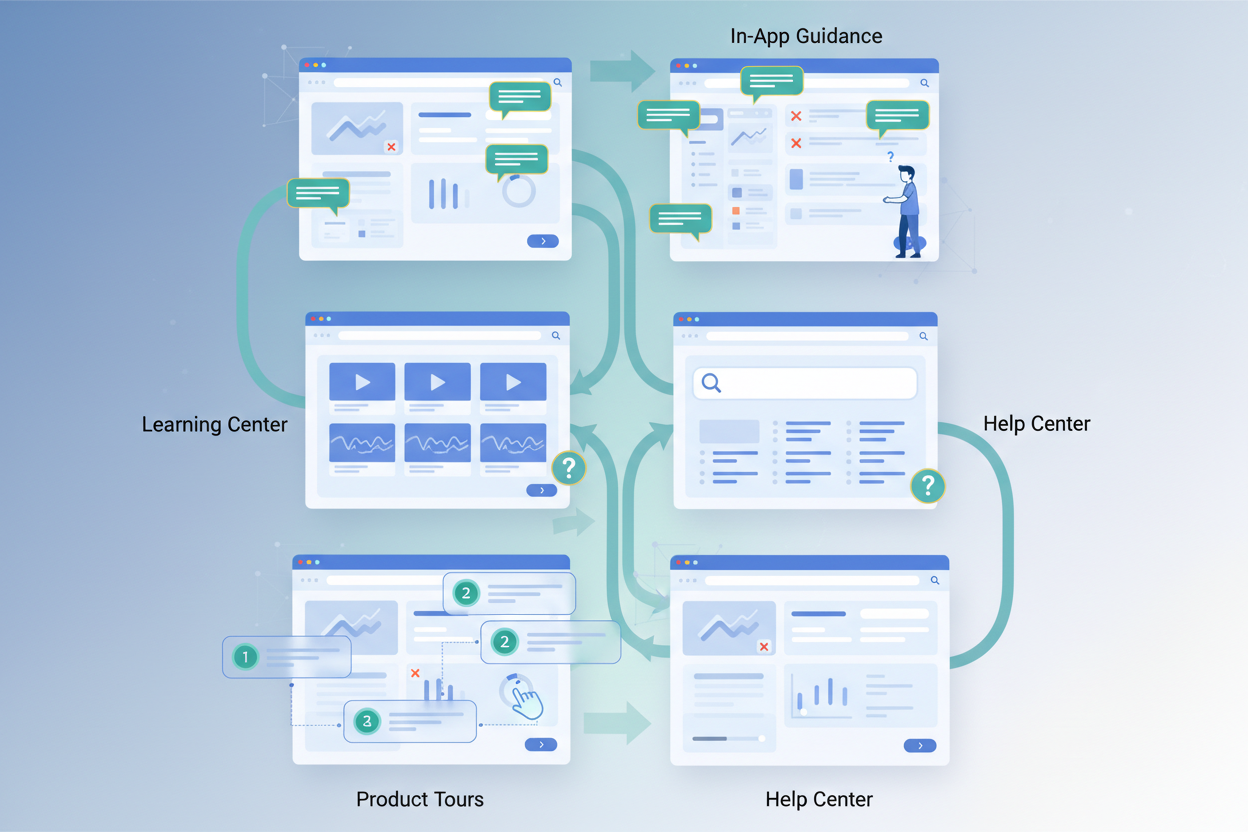
Think of it as four layers:
Layer 1: Interactive product tours. In-app, contextual, trigger-based. These meet users where they are and guide them through specific actions. Best for first-time experiences and feature discovery.
Layer 2: Learning center. A video-first hub embedded in your product where users proactively explore capabilities. Not a help center (that's reactive). A learning center is proactive - users go there to discover what's possible, not just fix what's broken.
Layer 3: Help center. Your Zendesk, Intercom, or Confluence knowledge base. The place users go when they have a specific question or hit a specific problem. This is reference material, step-by-step articles, and troubleshooting guides.
Layer 4: In-app guidance. Tooltips, hotspots, and subtle nudges that surface contextually based on user behavior. These are lighter than tours but always present.
The magic happens when all four layers stay in sync. When your product updates, your tours update. Your learning center content updates. Your help center articles update. Your tooltips update. Everywhere, simultaneously.
Without auto-updating, keeping four systems current requires a full-time documentation team. With it, one person can maintain the entire stack.
For a complete playbook on building this self-service system from scratch, check out our customer onboarding guide for SaaS. And if you want to see what an embeddable learning center looks like in practice, you can scale customer onboarding with interactive tours.
What You Can Do This Week
Interactive product tours aren't optional anymore. With 70% of your features sitting undiscovered and nearly half of SaaS churn traced back to users not achieving their goals, the cost of doing nothing is measurable.
Here's the key takeaway: tours that auto-update beat tours you rebuild every sprint. Creating a tour takes an afternoon. Maintaining it for a year takes weeks of accumulated work, unless your tools handle that for you.
This week: Audit your current onboarding flow. How many steps? What's the completion rate? Where do users drop off? If you don't know these numbers, that's your starting point.
This month: Pick one high-value feature that's underused and build a single tour around it. Five steps max. Make it skippable. Measure completion and feature adoption before and after.
This quarter: Build the full stack. Tours for in-app guidance, a learning center for proactive discovery, documentation for reference, and an auto-update system that keeps everything current without manual rebuilds.
You can create your first interactive product tour in minutes with tools that handle the maintenance for you. The question isn't whether your users need better guidance. The data already answered that.
The question is whether you'll build it before your competitors do.
In Doc We Trust.

![Video Documentation Service: The Complete Guide for SaaS Teams [2026]](/images/blog/video-documentation-service-saas-guide-featured.png)
![10 Product Documentation Tools for SaaS [Compared 2026]](/images/blog/product-documentation-software-saas-featured.png)