

Your support team answers the same questions 50 times a day. Your users can't find what they need. Your ticket volume keeps growing while your team burns out.
Here's the part nobody wants to hear: 60% of customer support teams report increasing ticket volumes, and they don't see this growth stopping anytime soon.
But here's what the data also shows: companies that embed demo how-tos and interactive video documentation into their help centers see ticket reductions of 25-66%. Not from hiring more agents. Not from faster response times. From helping users help themselves.
This guide shows you exactly how to reduce support ticket volume using demo documentation. You'll learn why video tutorials outperform text articles, see real case studies with specific numbers, and get a 30-day implementation plan you can start this week.
The True Cost of Growing Support Tickets

What Every Ticket Really Costs
Every support conversation burns cash. Real cash. Not some abstract "opportunity cost" - actual dollars leaving your account.
The math is brutal. Industry data shows the average IT help desk ticket in North America costs $22 to resolve. Each minute of support time runs about $1.60.
Let's scale that:
- 100 tickets a week = $2,200
- 400 tickets a month = $8,800
- 4,800 tickets a year = $105,600
That's a full-time hire. Gone. Because your documentation isn't solving problems before they become tickets.
But ticket costs don't stay flat. As you grow, tickets grow faster. Your team gets overwhelmed. Response times increase. Customer satisfaction drops. Churn follows.
The real cost of bad documentation isn't $22 per ticket. It's the compound effect of broken support eating your growth.
The Documentation to Ticket Cycle
Here's the cycle most SaaS companies are trapped in:
- You ship a product update
- Documentation becomes outdated (or never existed)
- Users get confused
- Confusion becomes frustration
- Frustration becomes a support ticket
- Support team gets overwhelmed
- No one has time to fix the docs
- Repeat
Research shows 80% of product teams have at least 50% of their documentation outdated. Everyone knows it's a problem. Most people ignore it.
The result? Your support team becomes a very expensive search engine for information that should be self-serve.
Why Traditional Documentation Fails to Deflect Tickets
The Problem with Text-Only Knowledge Bases
Your knowledge base probably has hundreds of articles. Users still submit tickets asking questions those articles answer. Why?
Static screenshots don't match the current product. Your UI changed three releases ago. The screenshots in your help center show buttons that no longer exist and workflows that no longer work. Users see the mismatch and immediately lose trust in your documentation.
Long text articles get abandoned. You wrote a comprehensive 2,000-word guide explaining every detail. Users skim for 30 seconds, don't find what they need, and submit a ticket instead. The information exists - it's just not accessible.
Search fails when users don't know what to search for. A new user doesn't know that "workspace" is what you call "project." They search for "project settings," find nothing, and contact support. Your knowledge base had the answer. The terminology gap created the ticket.
What Users Actually Want
The data is clear on user preferences:
- 72% of customers prefer video over text when learning about a product or service
- 81% of customers prefer solving problems independently before reaching out to support
- 69% of customers want to resolve issues on their own if given the right tools
Users don't want to wait for support. They want to fix the problem right now. But your text-heavy documentation doesn't give them what they need to succeed independently.
Here's the gap: customers prefer self-service, but your self-service content isn't in the format they prefer. Demo how-tos bridge that gap.
The Demo Documentation Difference
Why Interactive Demos Outperform Static Docs
Show, don't tell. It's writing advice that applies perfectly to documentation.
When a user watches a 90-second demo of how to configure their notification settings, they see exactly what to click, in what order, with visual confirmation they're in the right place. Compare that to reading eight paragraphs describing the same process with three screenshots that may or may not match their current view.
Pages with video average 6 minutes of user engagement compared to 4.3 minutes for pages without video. That's 40% more time users spend actually absorbing your documentation instead of bouncing to your support queue.
Interactive demos take this further. Instead of passively watching, users can click through steps at their own pace, pause when they need to, and replay sections that didn't click the first time. This active learning creates better retention than passive reading.
Video Documentation: The Statistics That Matter
The case studies tell a consistent story:
Senja.io: 50% ticket reduction. This social proof platform added embeddable in-app help with video tutorials. The result: half as many support tickets from the same user base.
Perforce: 10x faster documentation creation. This dev tools company was spending up to 3 days creating each tutorial video and 8 hours per knowledge base article. After switching to video documentation tools, their support team cleared a backlog of 200 knowledge base articles in 3 weeks - a task that would have taken months otherwise.
Loom: 30% faster resolution times. Customers who submit support requests with video details get resolved 30% faster than text-only tickets. Over one-third of their customer conversations now include video.
Interactive demo startups: 35% higher activation, 20% fewer tickets. A self-serve CRM startup added a 5-step interactive demo guiding users through creating their first pipeline. Result: 35% higher activation within 48 hours and 20% fewer first-week help tickets.
The pattern is clear: when users can see what to do instead of reading about it, they succeed more often and contact support less often.
7 Ways Demo Documentation Reduces Support Tickets

1. Replace Text with Video Tutorials for Your Top Support Questions
Start with data. Pull your last 90 days of support tickets. What are the 20 questions that appear most frequently? These are your highest-impact targets.
For each of those top 20 questions, create a demo how-to that shows the solution visually. A 60-second video showing how to "reset your API key" will deflect more tickets than a 500-word article explaining the same thing.
The key is specificity. Don't create one video called "Account Settings Overview." Create individual videos for "How to Reset Your API Key," "How to Change Your Password," and "How to Update Billing Information." Users search for specific problems, not general topics.
2. Build Interactive Product Walkthroughs for Complex Features
Some features are too complex for a single video. Multi-step workflows, advanced configurations, and features with branching logic need interactive walkthroughs that let users explore at their own pace.
Interactive walkthroughs reduce support burden by solving problems before they occur. Users who complete an interactive setup guide have already validated that they're in the right place, clicking the right buttons, seeing the expected results.
Best practice: keep each walkthrough under 10 steps. If a process requires more, break it into sequential walkthroughs that build on each other.
3. Add Demo Content Directly to Your Help Center
Your help center articles don't need to be text-only. Embed video demos directly into your existing knowledge base articles.
The combination works better than either alone. Users who prefer video watch the demo. Users who prefer text read the article. Users who need both have both. Nobody submits a ticket.
Tools like StorytoDoc let you embed interactive videos directly into Zendesk, Intercom, Confluence, or any platform that supports iframes. One line of code adds video documentation to articles you've already written.
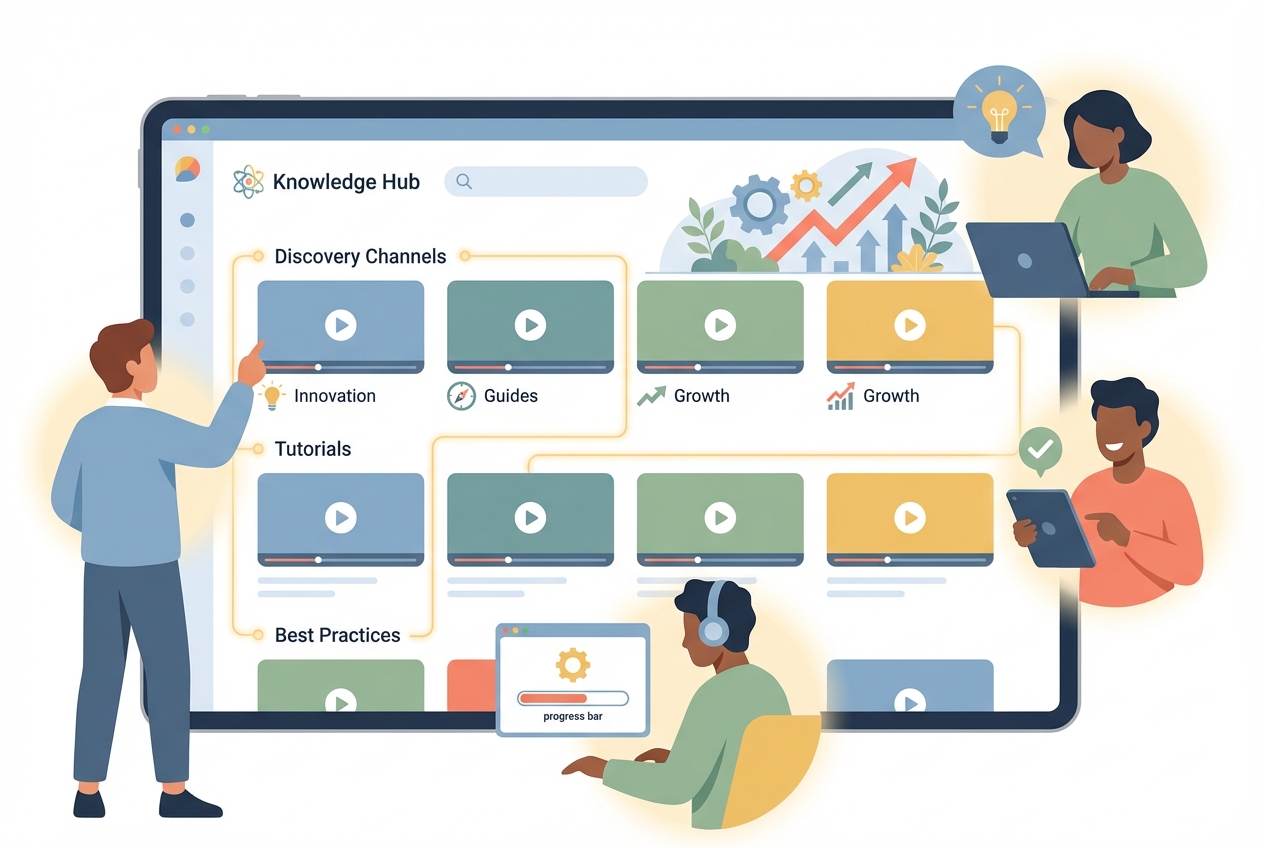
4. Create an Embedded Learning Center for Proactive Enablement
Here's a mindset shift: your help center is reactive. Users go there when they're stuck. A Learning Center is proactive. Users go there to discover what's possible.
Building a Learning Center that lives inside your product changes user behavior. Instead of waiting until they hit a wall, users explore capabilities they didn't know existed. They learn features before they need support about them.
Companies report 25% support ticket reduction from embedded Learning Centers. Why? Because users who understand your product don't need to ask how to use it.
The difference between a help center and a Learning Center:
- Help Center: "How do I fix this error?"
- Learning Center: "What else can this product do for me?"
One reduces tickets. The other prevents them from ever existing.
5. Keep Demo Documentation Updated Automatically
Here's where most documentation strategies fail: maintenance.
You create beautiful video tutorials. Three months later, your product updates. The videos show the old UI. Users see the mismatch. They lose trust. They submit tickets.
The solution is documentation that updates when your product updates. Tools with auto-update capabilities re-record your demos when you ship changes, keeping screenshots, videos, and walkthroughs current without manual recreation.
DataCamp increased their documentation 10x and implemented Answer Bot for better self-service. The result: 66% ticket reduction in six months. But they could only sustain that by keeping documentation current as their product evolved.
6. Implement In-App Demo Guidance at the Point of Need
The best time to show someone how to do something is when they're trying to do it.
In-app tooltips, contextual help buttons, and embedded micro-demos meet users exactly where they're stuck. Instead of leaving your product to search your help center, users get answers without changing context.
Resource centers with different content types - documents, guides, video tutorials - let users self-serve based on their preferences. Show different modules based on user segments to provide relevant help without information overload.
The result: users solve problems faster, and your support queue stays cleaner.
7. Use Demos in Ticket Responses to Build a Reusable Library
When tickets do come in, respond with video demos instead of text explanations.
This approach has two benefits. First, it resolves the current ticket faster - Loom data shows 30% faster resolution when video is involved. Second, it builds a library of demo responses you can reuse.
After six months of responding with video demos, you'll have a collection covering your most common issues. New support agents can send these instead of typing the same explanations repeatedly. Eventually, you promote the best ones to your public knowledge base.
The support team becomes a content creation engine, and every ticket they solve helps prevent the next one.
How to Measure Your Demo Documentation ROI
Key Metrics to Track
You can't improve what you don't measure. Track these metrics before and after implementing demo documentation:
Ticket Deflection Rate: The percentage of users who view documentation and don't submit a ticket. Industry benchmark is around 58% for companies with effective self-service.
Self-Service Resolution Rate: How many users find answers without human assistance. Track this through help center analytics - views, searches, and exit points.
First Contact Resolution Rate: When tickets do come in, are they resolved on the first reply? Target 70-80%. Demo documentation in responses helps hit this target.
Customer Satisfaction (CSAT): Are users happier with faster, visual answers? Track CSAT before and after rolling out demo content.
Time to Resolution: How long does it take to close tickets? Demo responses should reduce this by 20-30%.
Calculating Your Savings
Here's the formula:
Monthly Tickets × Cost per Ticket × Deflection Rate = Monthly Savings
Example:
- 500 monthly tickets
- $22 per ticket
- 50% deflection rate from demo documentation
500 × $22 × 0.50 = $5,500 monthly savings
Annual impact: $66,000 saved - plus the compound benefits of faster resolution, happier customers, and a support team that can focus on complex issues instead of repetitive questions.
Companies implementing comprehensive demo documentation see 20-66% ticket reduction within 3-6 months. Your specific results depend on your starting point, but the direction is consistent.
Getting Started: Your 30-Day Demo Documentation Plan
Week 1: Audit and Prioritize
Days 1-3: Analyze your ticket data
Pull 90 days of support tickets. Categorize by topic. Identify your top 20 most frequent questions. These are your demo documentation targets.
Days 4-5: Assess current documentation
For each top 20 topic, check your existing documentation. Is it current? Does it include visuals? Could a user actually solve their problem with it?
Days 6-7: Prioritize by impact
Rank your top 20 by: ticket volume × average resolution time. The highest scores are your first demo targets.
Week 2: Create Your First Demo Content
Days 8-10: Record your top 5 demos
Start with your five highest-priority topics. Create short video demos (60-90 seconds each) showing the solution step-by-step.
Days 11-12: Embed in existing articles
Add your new video demos to existing help center articles on those topics. Don't replace the text - supplement it.
Days 13-14: Set up tracking
Configure analytics to track video views and subsequent ticket creation. You need baseline data to measure improvement.
Week 3-4: Launch and Iterate
Days 15-21: Expand to top 20
Create demo content for your remaining priority topics. Build momentum while the process is fresh.
Days 22-25: Consider a Learning Center
If your demo library is growing, evaluate whether an embedded Learning Center would consolidate your self-service content into a better user experience.
Days 26-30: Measure and adjust
Compare ticket volume, deflection rates, and resolution times to your baseline. Identify which demos are working and where gaps remain.
What to Expect
Week 1-2: You're building foundation. No major ticket reduction yet.
Week 3-4: Early wins appear. Users start finding demo content. Some ticket reduction visible.
Month 2-3: Compound effect kicks in. 20-30% ticket reduction common. Support team starts using demos in responses.
Month 4-6: Full impact. 40-66% reduction achievable with comprehensive implementation. Documentation becomes a true support multiplier.
The Choice Is Simple
Every day you wait, tickets keep coming. Each one costs $22. Each one burns time your team could spend on complex issues. Each one represents a user who couldn't find the answer they needed.
The fix isn't complicated. It's not even expensive compared to the cost of doing nothing.
DataCamp decided to invest in documentation. They saw 66% ticket reduction.
Buffer redesigned their help center. They saw 26% reduction.
Senja added in-app video help. They saw 50% reduction.
Demo documentation works because it matches how users actually want to learn - visually, at their own pace, exactly when they need it. Text articles have their place, but video demos close the gap between "information exists" and "users find it helpful."
Your next step: Pull your ticket data. Find your top 5 questions. Create your first demo how-to this week.
One demo won't transform your support metrics. But it's the start of documentation that actually deflects tickets instead of collecting dust.
In Doc We Trust.

![Video Documentation Service: The Complete Guide for SaaS Teams [2026]](/images/blog/video-documentation-service-saas-guide-featured.png)
![10 Product Documentation Tools for SaaS [Compared 2026]](/images/blog/product-documentation-software-saas-featured.png)