
![Video Documentation Service: The Complete Guide for SaaS Teams [2026]](/images/blog/video-documentation-service-saas-guide-featured.png)
Your product shipped an update last Tuesday. Your help center videos still show the old interface. Your users see one thing on their screen, a different thing in the video, and head straight to your support team.
Here's the thing: 83% of people prefer watching videos to consume instructional content over text or audio. But video is the most expensive format to create and the first format to break when your product changes.
So what do you do? You need a video documentation service, but the market is confusing. DIY tools, agencies, managed services, AI platforms -- the options keep multiplying while your docs keep getting more outdated.
This guide breaks down everything you need to know about video documentation for SaaS in 2026: what these services are, what they cost, and how to pick the right approach for your team.
What Is a Video Documentation Service?
A video documentation service creates, maintains, and distributes video-based product documentation for SaaS companies. Unlike generic video production, these services specialize in product walkthroughs, feature tutorials, and onboarding flows that help users learn your software.
The best video documentation services produce more than just video. They create complete learning packages: interactive video walkthroughs, step-by-step how-to articles, and downloadable PDFs -- all from a single recording session. This multi-format approach means users can learn however they prefer: watching, reading, or printing.

Three Types of Video Documentation Services
Not all video documentation services work the same way. Understanding the differences saves you from picking the wrong one.
1. DIY Tools (Self-Service Platforms)
You record your screen, the tool processes it into polished documentation. Platforms like Guidde, Clueso, and Trupeer fall here. Your team does all the work. The tool just makes it faster.
2. Done-For-You Services (Managed Documentation)
A team records, edits, and publishes your product documentation for you. You provide access to your product. They deliver a complete documentation library. Done for you video documentation is the fastest path from zero to full coverage. This is the model behind StorytoDoc's Done-For-You service -- your entire documentation built in 30 days.
3. Hybrid Solutions (Tool + Service)
The newest category. You get both a self-service tool for ongoing documentation AND a managed service to handle the heavy lifting. Create your initial library with the DFY service, then maintain it yourself with the tool. This is where the market is heading.
Why SaaS Teams Need Video Documentation
Let's be honest -- you already know documentation matters. The question is whether video documentation is worth the extra investment over text-only docs.
The data says yes. Decisively.
Research from TechSmith's 2024 Video Viewer Study shows 83% of people prefer video for instructional content. Only 18% prefer text-based articles. That's not a small gap. That's your users telling you exactly how they want to learn.
But preference is one thing. Retention is another.
Viewers retain 95% of a video's message compared to 10% when reading text. Video completion rates sit between 60-90% for short-form content. Meanwhile, only 20% of readers finish a text article. Fifty-five percent of visitors spend 15 seconds or less on a blog post before bouncing.
Your help center articles could be perfect. If nobody reads them, they might as well not exist.
The Support Ticket Math
Here's where video documentation stops being a "nice to have" and becomes a financial decision.
The average SaaS support ticket costs $25-35 to resolve. Self-service resolution? $0.50-$2.37.
That's a 10-15x difference per interaction.
Well-designed self-service portals deflect 40-60% of incoming queries. And video-based self-service resolves issues 3x faster than text-only alternatives. Sixty-one percent of customers prefer self-service for simple issues. Ninety-two percent would use a knowledge base if one were available.
Your users want to help themselves. They just need content in the format that actually works for them -- and that format is video.
We covered the full cost breakdown in our analysis of how bad documentation bleeds SaaS companies dry. The numbers are staggering.
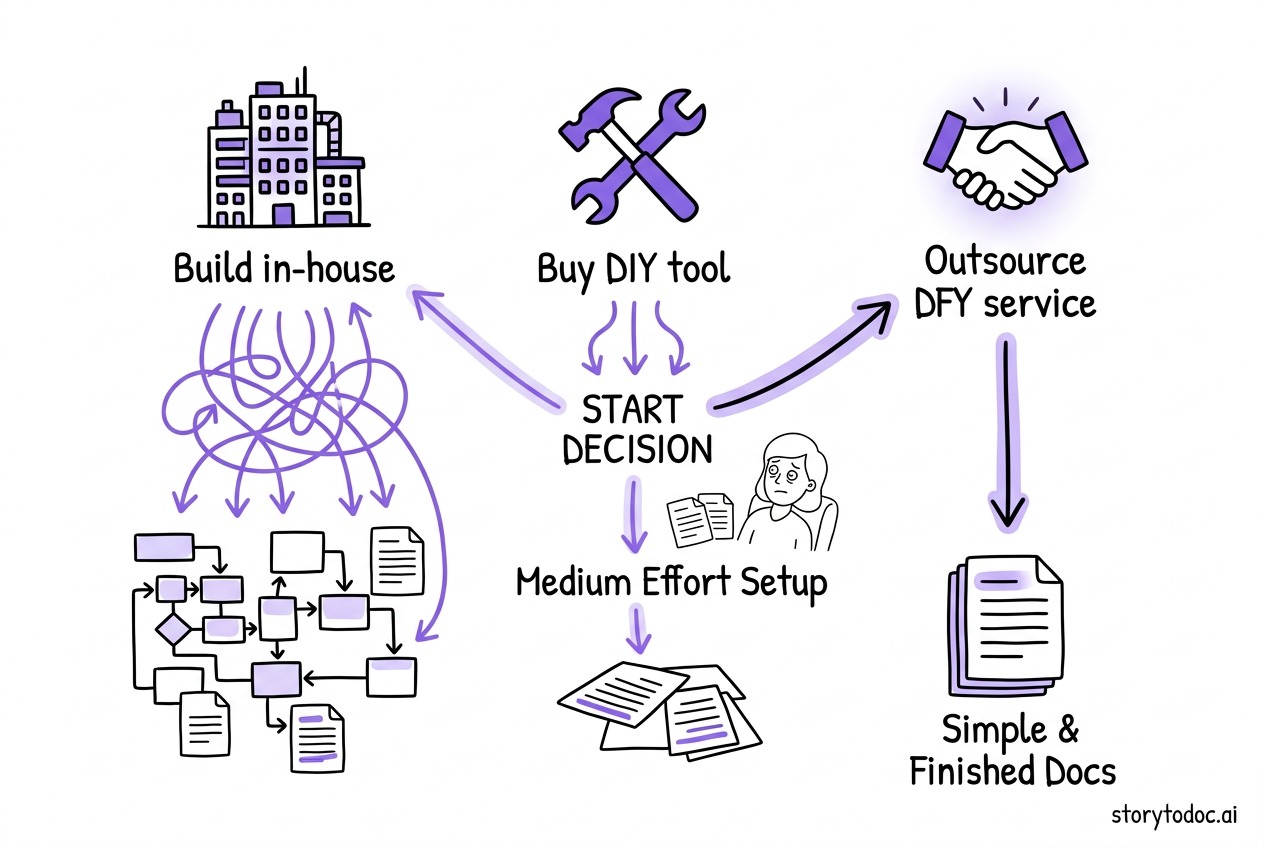
Build vs. Buy vs. Outsource: The Decision Framework
This is the question every SaaS team faces, and most teams pick the wrong answer. Not because they're bad at evaluating options, but because they don't realize there are three options to begin with.
| Build In-House | Buy DIY Tool | Outsource (DFY) | Hybrid (DFY + Tool) | |
|---|---|---|---|---|
| Annual Cost | $80K-$130K+ | $2,400-$6,000 | Varies by scope | Varies by scope |
| Time to First Docs | 3-6 months | 1-2 weeks | 2-4 weeks | 2-4 weeks |
| Ongoing Time | Full-time role | 5-10 hrs/week | Minimal | 2-5 hrs/week |
| Auto-Update | — | — | Depends on provider | ✓ Yes |
| Multi-Format | — | Depends on tool | ✓ Yes | ✓ Yes |
| Best For | Large teams, 500+ flows | Teams with bandwidth | Doc debt, small teams | Most SaaS teams |
Option 1: Build In-House (Hire a Documentation Team)
Cost: $80,000-$130,000/year per technical writer (BLS median data), plus tools, management overhead, and training.
What you get: A dedicated person (or team) who knows your product deeply and creates documentation full-time.
The reality: Technical writers are not video producers. Writing help articles and producing engaging video walkthroughs require different skill sets. You'll either hire a generalist who does both things okay, or you'll need two people. Either way, you're looking at six-figure annual cost before tools and overhead.
When it makes sense:
- You have 500+ product flows to document
- Documentation is a core part of your product strategy
- You can afford 3-6 months of ramp-up time before production
When it doesn't:
- Your team is under 50 people and PMs are already stretched thin
- You need documentation now, not in six months
- Your product changes faster than one person can keep up with
Option 2: Buy a DIY Tool (Self-Service Platform)
Cost: $200-$500/month for mid-tier plans. Some tools charge per seat.
What you get: A platform that converts your screen recordings into polished video documentation, sometimes with AI-generated articles and voiceover.
The reality: Someone on your team still has to do the work. Record every flow. Review every output. Publish to your help center. Update when the product changes. The tool makes each step faster, but the process still requires human hours.
Popular options: Guidde (AI video documentation), Clueso (screen recording to video + article), Trupeer (AI studio-quality video), Loom (async video, not documentation-specific).
When it makes sense:
- You have a PM or CS person with bandwidth to own documentation
- Your product doesn't change dramatically between releases
- You want full control over every piece of content
When it doesn't:
- Nobody on your team has time to be the "documentation person"
- Your product ships updates every 2-4 weeks (which means constant re-recording)
- You have significant documentation debt to clear first
Option 3: Outsource to a Video Documentation Service (DFY)
Cost: Varies by provider. StorytoDoc's DFY service delivers a complete documentation library in 30 days.
What you get: Outsourced video documentation means a specialized team records your product flows, creates multi-format content (video + articles + PDFs), and delivers a ready-to-publish library. You're essentially hiring a product documentation video service without the overhead of building one internally.
The reality: You save massive amounts of internal time but trade some control over the process. Communication quality determines output quality. The best DFY services use tools that also enable you to self-serve afterward, so you're not permanently dependent on the service.
When it makes sense:
- You have serious documentation debt (50+ flows undocumented)
- Your team is small and nobody has bandwidth
- You need results in weeks, not months
- You want professional quality without building a documentation team
When it doesn't:
- You have highly specialized domain knowledge that's hard to transfer
- Your product requires deep internal context to document accurately
- You want to build long-term documentation capabilities in-house
The Hybrid Approach (Best of Both)
Here's what the smartest teams are doing: they use a DFY service to clear the backlog, then switch to self-service for ongoing maintenance.
Start with the managed service. Get your entire documentation library built in 30 days. Then use the same platform's self-service tools to create new content as you ship new features.
This approach eliminates the biggest problem with DIY tools (finding time to create the initial library) and the biggest problem with DFY services (ongoing dependency). You get speed AND independence.
What to Look for in a Video Documentation Service
Not all video documentation services are equal. Here are the criteria that separate good options from great ones.
Auto-Updating Capability
This is the single most important feature, and most SaaS teams overlook it entirely.
SaaS products typically release updates every 2-4 weeks. But documentation gets updated 3-4 times per year. That gap means your documentation is wrong more often than it's right.
A video documentation service with auto-updating capability detects when your product changes and updates all documentation automatically. No re-recording. No manual editing. No publishing cycle. One update propagates across every format and every location where your content is embedded.
Without auto-update, you're buying a temporary fix. Your documentation will drift out of sync with your product within weeks. We wrote a deep dive on how auto-updating documentation works and why it matters -- it's the difference between documentation that helps and documentation that misleads.
Multi-Format Output
Video alone isn't enough. Some users want to watch. Others want to read. Others want to print a PDF and follow along.
The best video documentation services produce all three from a single recording:
- Interactive video: Users watch or click through at their own pace
- Step-by-step how-to article: Screenshots and written instructions for every action
- Downloadable PDF: Print-ready version for offline reference
One recording. Three formats. Complete coverage for every learning style.
Help Center Integration
A video documentation service that creates content in its own silo is creating more work, not less.
Your documentation needs to embed directly into your existing help center -- Zendesk, Intercom, Confluence, HubSpot, whatever you use. The service should integrate with your current tools, not replace them.
If a provider asks you to migrate to their platform or send users to a separate documentation site, walk away. Your users already know where your help center lives. Meet them there.
Learning Center Option
Help centers are reactive. Users visit when they're stuck. That's necessary, but it's not sufficient.
The best video documentation services also offer an embeddable Learning Center -- a video-first experience where users discover features proactively, before they hit problems. Think of it as your product's own learning hub, embedded directly in your app.
Reactive support plus proactive enablement. That's the combination that drives real feature adoption.
The True Cost of Video Documentation
Let's do the math that most teams skip.
Manual Video Production Costs
A single screen recording with annotations costs $1,800-$3,000 to produce professionally. A SaaS explainer video runs $3,000-$10,000 depending on complexity.
Now multiply. A product with 50 key workflows needs 50 videos. At $3,000 per video, that's $150,000 for the initial library.
But you're not done. Your product changes every 2-4 weeks. Each UI update potentially breaks every video that shows the affected screens. Re-recording just 10 videos per quarter at $3,000 each adds $120,000/year in maintenance costs.
Total first-year cost for a 50-video library: $150,000 (creation) + $120,000 (maintenance) = $270,000. And that's conservative.
The Documentation Maintenance Trap
Each document consumes 15-20 hours per year to maintain. For a mid-sized company with 300 process documents, that's 4,500 hours annually just keeping content current. One SaaS company's team spent 40% of their time updating onboarding materials.
This is the trap. You invest in creating documentation, then spend more time maintaining it than you spent creating it. The maintenance burden grows with every new piece of content. Eventually, you stop creating because you can't keep up with maintaining. It's one of the core reasons most product documentation fails.
Auto-updating video documentation breaks this cycle. Record once. Update automatically. Focus your team's time on building the product, not re-recording the same walkthrough every sprint.
The ROI Case
Companies that outsource documentation report 40-70% cost savings versus building in-house, with no loss in quality.
And the downstream impact is even bigger. Ninety-six percent of customer education programs deliver positive ROI, according to Forrester and Intellum's 2024 benchmark. Companies with superior customer experience grew revenues 5x faster than competitors.
The question isn't whether video documentation pays for itself. It's how quickly. If you need help building the business case, our guide on how to measure documentation ROI walks through the exact formulas.
How StorytoDoc's Video Documentation Service Works
We built StorytoDoc because we had this exact problem. After building dozens of SaaS products, we kept hitting the same wall: create docs, manage docs, update docs. Repeat forever.
Here's what we built instead.
Record once: Open the free Chrome extension. Walk through your product flow. Five minutes, done.
AI creates everything: From that single recording, StorytoDoc generates an interactive video (HTML-based, users click through at their own pace), a step-by-step how-to article (every action captured with screenshot and description), and a downloadable PDF.
Embed anywhere: Copy your stories into Zendesk, Intercom, Confluence, or any help center you use. Add an embeddable Learning Center to your product with one line of code for proactive feature discovery.
Auto-update: When your product changes, update all your documentation with one click. All videos, all articles, all PDFs, everywhere they're embedded. Updated.
Or let us do it for you: StorytoDoc's Done-For-You service creates your entire documentation library in 30 days. We record your product, create every story, embed everything in your help center, and set up your Learning Center. You focus on building your product. We handle the docs.
What Makes This Different
Every other video documentation tool on the market is self-service only. You get software. You do the work.
StorytoDoc is the only solution that combines a DFY service (we build your docs for you) with auto-updating technology (your docs stay current automatically) and multi-format output (video + article + PDF from every recording).
Tool plus service plus auto-update. Nobody else offers all three.
Video Documentation Service FAQ
How much does a video documentation service cost?
Costs vary widely by approach. DIY tools run $200-$500/month. Hiring an in-house technical writer costs $80,000-$130,000/year. Done-for-you services vary by scope and provider. The real cost comparison should include ongoing maintenance -- manually re-recording videos after product updates can cost $120,000+/year for a 50-video library.
What's the difference between a video documentation tool and a video documentation service?
A tool gives you software to create documentation yourself. A service creates documentation for you. Some providers offer both -- a DFY service to build your initial library, plus a self-service tool for ongoing content creation.
How long does it take to build a complete video documentation library?
With a DFY service, expect 2-4 weeks for a complete library. Building in-house takes 3-6 months (including hiring and ramp-up). Using a DIY tool depends entirely on your team's bandwidth -- often 2-3 months for initial coverage if someone dedicates 5-10 hours per week.
Can video documentation actually reduce support tickets?
Yes. Self-service portals with video content deflect 40-60% of incoming queries. Video resolves issues 3x faster than text-only documentation, and 83% of users prefer video for instructional content. Companies like DataCamp have seen 66% ticket reductions after improving their documentation.
How do you keep video documentation updated when the product changes?
Three options: re-record manually (expensive, time-consuming), use step-swapping features in some tools (partial fix), or use auto-updating technology that detects product changes and updates all documentation automatically (the most efficient approach).
Should I outsource video documentation or build in-house?
Outsource if you have significant documentation debt, a small team, or need results fast. Build in-house if documentation is a core strategic function and you have budget for a dedicated role. Most growing SaaS teams benefit from a hybrid: outsource the initial build, then maintain with a self-service tool.
Your Video Documentation Action Plan
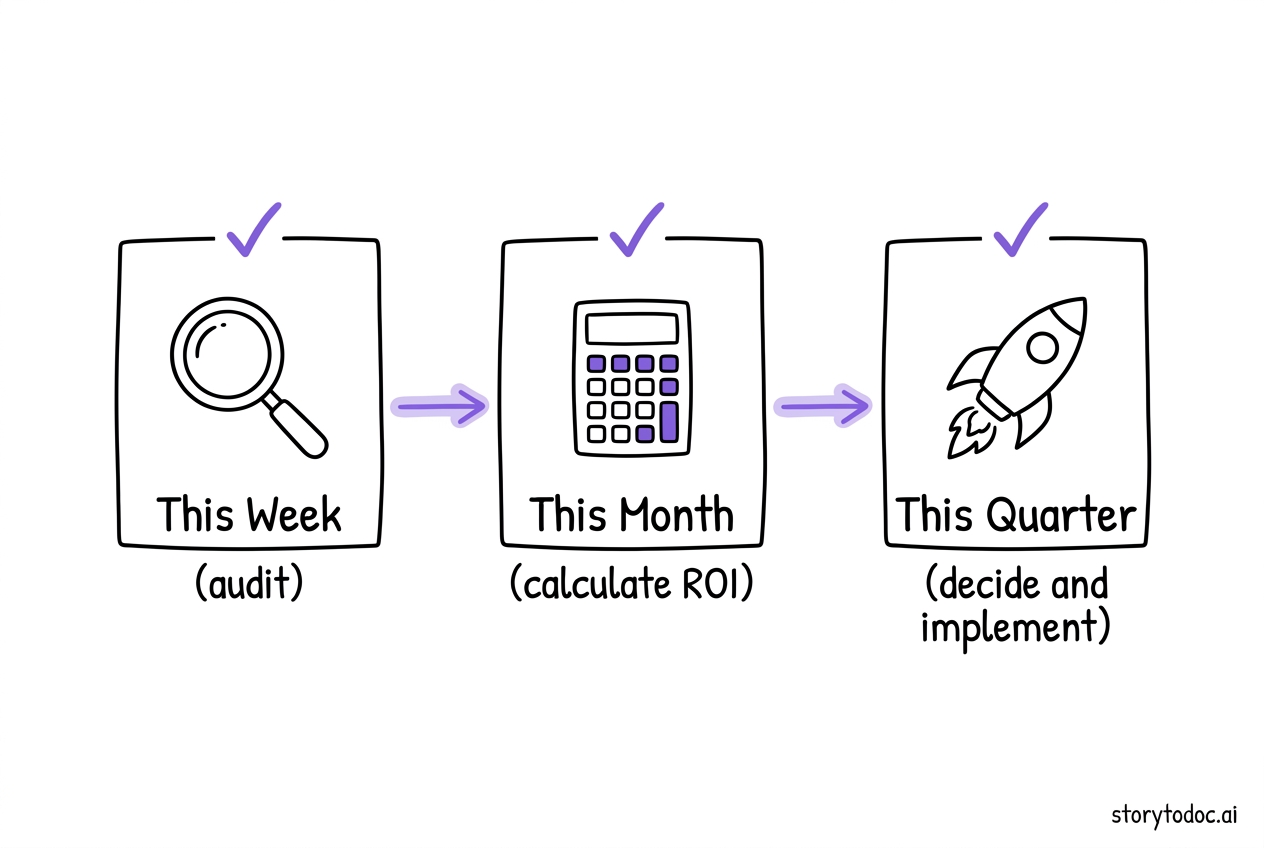
You don't need to solve everything this week. But you do need to start.
This week (15 minutes): Audit your current documentation. Open your help center and count how many videos show the wrong interface. Count how many product flows have no video at all. Write down both numbers. That's your documentation debt.
This month: Calculate the real cost. How many support tickets per month could be deflected with accurate video documentation? At $25-35 per ticket, what's the monthly savings? Compare that to the cost of a video documentation service.
This quarter: Make the decision. Do you need a DIY tool, a DFY service, or a hybrid approach? Use the framework from this guide. If your documentation debt is significant and your team is small, start with DFY to clear the backlog, then transition to self-service for ongoing maintenance.
The companies that figured this out early -- the ones that reduced support tickets by 20-66% with better documentation -- didn't have bigger teams or better tools. They just decided that documentation was worth doing right.
Your documentation is either helping your users learn or teaching them to contact support. There's no middle ground.
See what I mean?
See StorytoDoc pricing | Explore the Done-For-You service
In Doc We Trust.

![10 Product Documentation Tools for SaaS [Compared 2026]](/images/blog/product-documentation-software-saas-featured.png)
![10 Best Knowledge Base Software for SaaS [2026]](/images/blog/knowledge-base-software-saas-buyers-guide-featured.png)