
![Product Manager Documentation Tools: The Complete Guide [2026]](/images/blog/product-manager-documentation-tools-featured.png)
You shipped a feature yesterday. Your documentation is already wrong.
And here's the part nobody talks about: you're responsible for BOTH the PRD that aligned your team AND the help article that teaches your users. Most product manager documentation tools only solve one side. The guides you'll find online? They cover PRD tools or help center tools. Never both.
That's a problem. Because PMs spend 52% of their time fire-fighting unplanned work, and tech teams burn 12+ hours per week on documentation alone. Meanwhile, the average SaaS feature adoption rate sits at a depressing 24.5%.
This guide covers both sides of the documentation tools for product managers: the internal tools that keep your team aligned and the user-facing tools that drive adoption. Plus stack recommendations by company stage, AI workflows, and an honest look at what actually works in 2026.
The Two Sides of PM Documentation Nobody Talks About
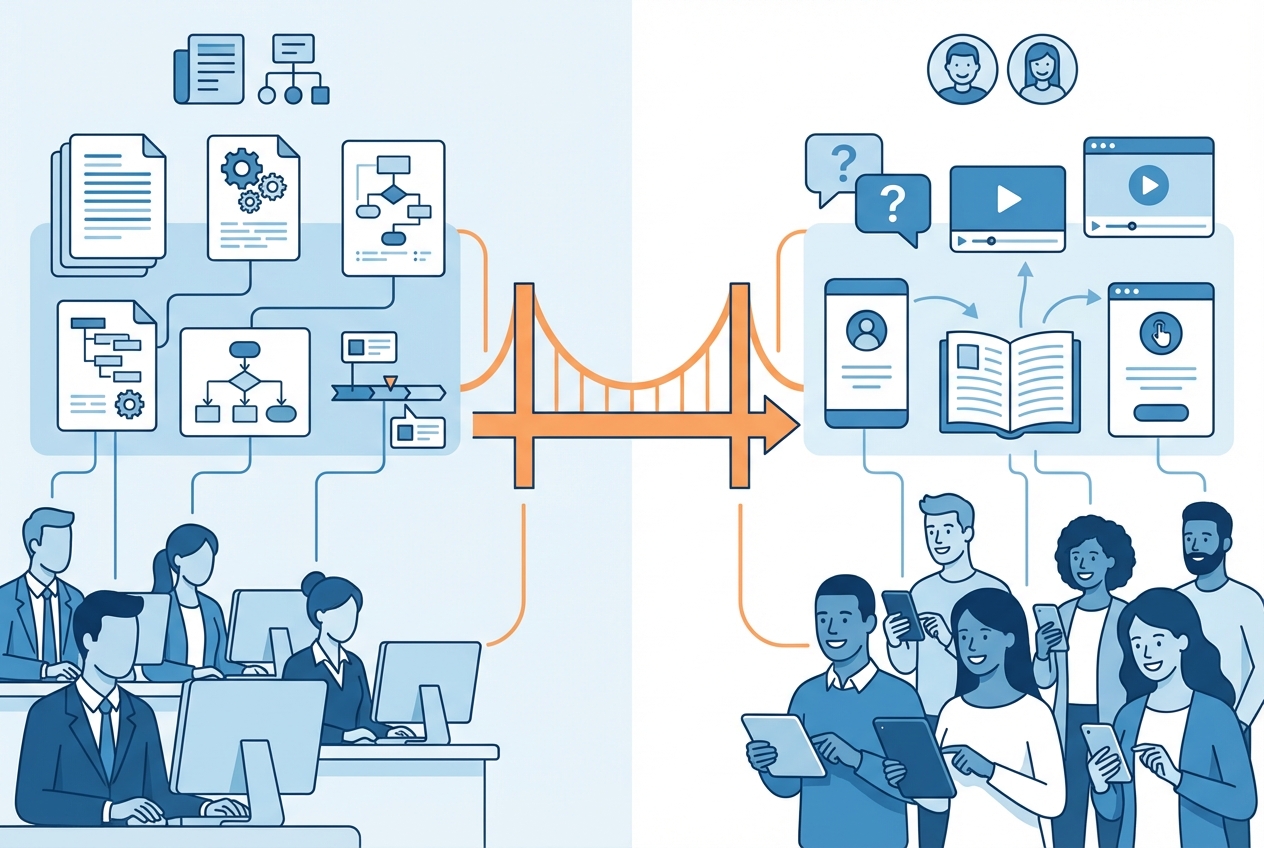
Every product manager juggles two completely different documentation responsibilities. The problem? Most PM tool guides pretend only one exists.
Internal Documentation: What Your Team Needs
This is the stuff your engineering, design, and leadership teams consume. PRDs. Technical specs. Roadmaps. Competitive analysis. Release notes. Meeting decisions.
The purpose is alignment. You write internal docs to get buy-in, track decisions, and make sure everyone builds the same thing. When internal documentation breaks down, only 28% of PMs spend any time strategizing because the rest goes to explaining, re-explaining, and firefighting misalignment.
External Documentation: What Your Users Need
This is the stuff your customers see. Help articles. Onboarding guides. Feature tutorials. Learning centers. Video walkthroughs.
The purpose is adoption. You create external docs so users discover value, reduce support tickets, and stop churning because they can't figure your product out.
Here's the uncomfortable reality: 60%+ of PM organizations lack formal product management processes. Internal tools get all the attention during tool evaluations. External, user-facing documentation gets treated as "someone else's problem." Except in most companies, that someone is you.
The result? Average feature adoption rate of 24.5%. Median is even worse at 16.5%. Your team built those features. Your users never learned to use them.
Sound familiar?
Best Internal Documentation Tools for PMs
Let's start with the product manager documentation tools that keep your team aligned. These handle PRDs, specs, roadmaps, and collaboration.
PRD and Spec Writing Tools
ChatPRD ($8/month) - The AI copilot purpose-built for product documentation. Generates PRDs, user stories, and technical specs using proven PM frameworks. If you write more than two PRDs a month, this pays for itself in the first week. In 2025, ChatGPT overtook Jira as the #1 recommended tool for PMs, but ChatPRD narrows that AI power specifically for product documentation.
Notion ($10-15/user/month) - The all-in-one workspace that half the PM world already lives in. Notion AI agents can now handle routine documentation tasks autonomously. Great for teams who want PRDs, wikis, and project docs in one place. The downside: it becomes a junk drawer fast if you don't enforce structure.
Confluence ($6-12/user/month) - The enterprise standard for teams already deep in the Atlassian ecosystem. Confluence AI handles routine documentation, and the deep Jira integration means your specs connect directly to tickets. Not the fastest tool, but 49% of product teams don't have enough time for strategic planning and tight PM-to-engineering handoffs help.
Roadmap and Planning Tools
Aha! ($59-149/user/month) - Roadmapping and documentation combined. Expensive, but if your PM team needs a single source of truth for strategy, planning, and specs, Aha! is the most comprehensive option.
ProductPlan ($39-79/user/month) - Visual roadmapping built for stakeholder communication. Less documentation-heavy than Aha!, but if your primary documentation need is "show leadership what we're building and when," ProductPlan does it beautifully.
Jira ($8-17/user/month) - Not a documentation tool. But every PM uses it, and your tickets ARE documentation whether you like it or not. For agile teams, well-written Jira tickets with acceptance criteria are often the most-read documentation you'll produce.
Collaboration and Visual Documentation
Miro ($8-16/user/month) - Whiteboarding and visual mapping for brainstorming, user journey mapping, and architecture discussions. The documentation that happens on a Miro board during a planning session is often more valuable than the formal PRD that follows.
Figma (Free-$15/user/month) - Design specs and handoff documentation. If your PMs work closely with design (and they should), Figma's commenting and annotation features make it a lightweight documentation tool for design decisions.
Google Docs (Free-$12/user/month) - The universal collaboration baseline. Not specialized, not sexy, but everyone can use it and the real-time collaboration is still hard to beat for quick specs and meeting notes.
Best User-Facing Documentation Tools for PMs
Now the side everyone ignores when evaluating product manager documentation tools. These are the tools that help your users learn, adopt features, and stop submitting support tickets.
Knowledge Base and Help Center Platforms
Document360 ($149-499/month) - Comprehensive knowledge base builder with strong search, analytics, and versioning. If you need a standalone help center software platform, Document360 is one of the most feature-rich options.
Zendesk Guide ($55-115/agent/month) - Enterprise help center baked into the Zendesk ecosystem. If your support team already runs on Zendesk, Guide is the natural choice. The downside: it's expensive and content maintenance is entirely manual.
Intercom ($74-153/seat/month) - Conversational support combined with a knowledge base. Intercom shines at proactive messaging and in-app help. The trade-off is complexity: you're buying a full support platform, not just a documentation tool.
Interactive Guides and Video Documentation
This is where product documentation software gets interesting for PMs. Text articles are table stakes. Users in 2026 expect video, interactivity, and guides they can follow along with.
Scribe ($23-29/user/month) - Automatically generates step-by-step guides from screen recordings. Good for quick process documentation. The limitation: static screenshots that need complete manual recreation when your product changes. That means every UI update triggers hours of rework.
Loom ($12.50/user/month) - Async video communication that every PM knows. Great for quick explanations and internal walkthroughs. The problem for user-facing docs: Loom videos go stale the moment your product ships an update, and there's no way to update them without re-recording from scratch.
StorytoDoc ($49-149/month) - Creates interactive video documentation, step-by-step how-to articles, and PDFs from a single screen recording. What makes it different: auto-updating documentation. When your product changes, one click updates all your user-facing content across every format. Record once, embed in your help center (Zendesk, Intercom, Confluence), and it stays current without manual maintenance.
The Maintenance Problem No Other Tool Solves
Here's the thing. Only 19.1% of companies rate their knowledge base as "very accurate". That means over 80% of user-facing documentation is outdated to some degree.
This matters because poorly maintained knowledge bases lead to a 23% increase in support tickets. You're spending money to create docs that actually generate more work when they go stale.
The root cause? Every tool in this category except auto-updating platforms requires you to manually recreate content when your product changes. And your product changes constantly. That's why most product documentation fails: the creation isn't the problem. The maintenance is.
How to Build Your PM Documentation Stack
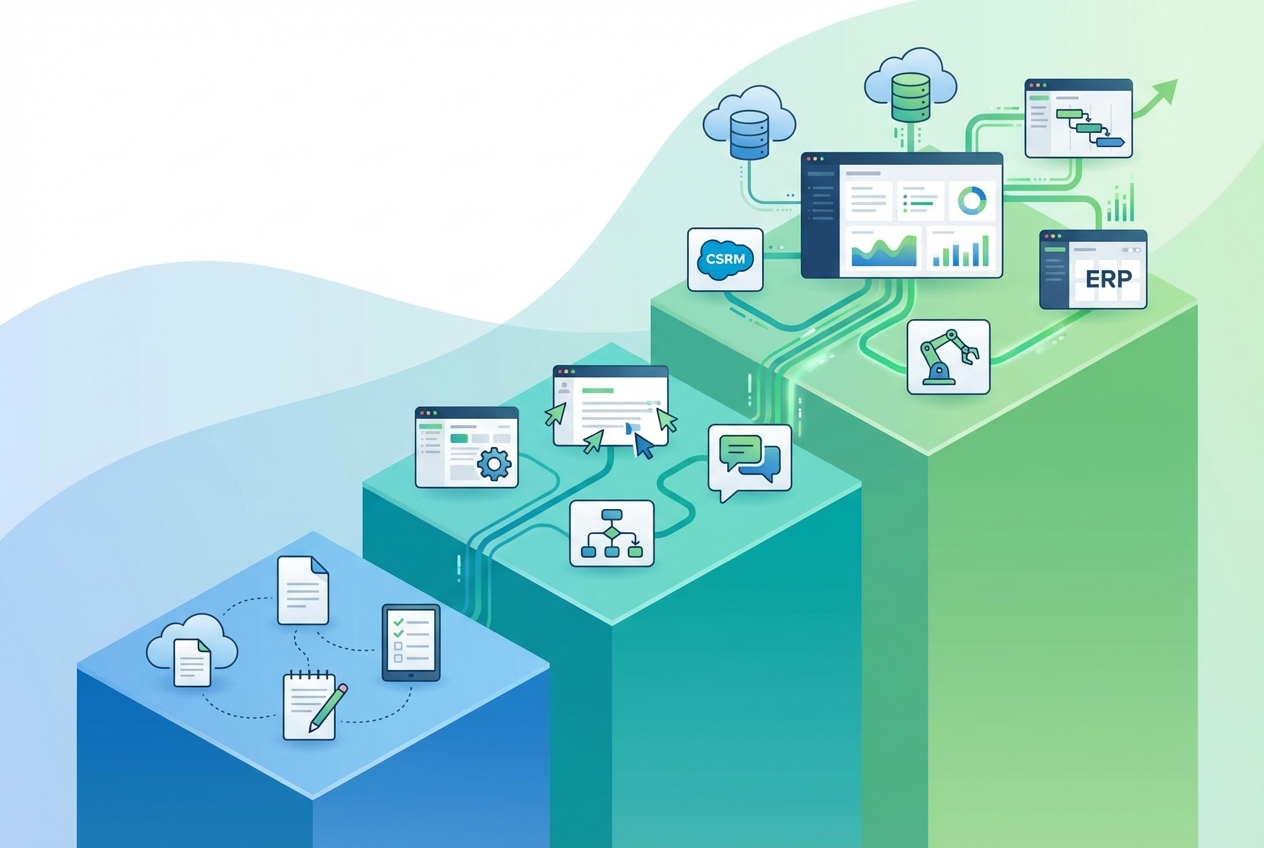
The right product manager documentation tools depend on your company stage, budget, and team size. Here's what actually makes sense at each level.
Solo PM at a Startup (Budget: Under $100/month)
You're wearing every hat. You need tools that are fast, cheap, and cover both sides of documentation without eating your entire week.
- Internal docs: Notion ($10/month) for PRDs, specs, meeting notes, and roadmap. One tool for everything.
- User-facing docs: StorytoDoc Starter ($49/month) for interactive guides and help content that auto-updates. Or Loom ($12.50/month) if video is enough for now.
- Async communication: Loom (free tier) for internal walkthroughs and stakeholder updates.
Total: $59-72/month. Covers both sides. The key at this stage: don't over-invest in specialized tools. You need velocity, not perfection.
Growing PM Team (Series A-B, 3-10 PMs)
You've got a product team now. Documentation needs to scale beyond one person's head. Consistency and handoffs matter.
- Internal docs: Confluence ($6-12/user/month) for team-wide specs and knowledge management. Add ChatPRD ($8/month) for AI-assisted PRD writing.
- User-facing docs: StorytoDoc Growth ($149/month) for documentation that auto-updates across all your content when the product ships. Plus an embeddable Learning Center in your product.
- Knowledge base: Document360 ($149/month) or Zendesk Guide if you're already on Zendesk.
Total: $300-400/month. At this stage, maintenance becomes the real cost. Manual update tools (Scribe, Loom) start breaking down because nobody has time to re-record 50+ guides every release cycle.
Enterprise PM Organization (50+ PMs)
Documentation is now a system, not a side project. You need governance, multi-team coordination, and tools that scale without linear headcount growth.
- Internal docs: Aha! + Confluence for strategy, roadmaps, and specs. Jira for execution documentation.
- User-facing docs: StorytoDoc Custom + Zendesk or Intercom for comprehensive help centers with auto-updating embedded content.
- Analytics: Track documentation engagement and correlate with feature adoption metrics.
Total: Varies widely. The key question at enterprise: how do you measure documentation ROI? Because at this budget level, every tool needs to justify its seat.
5 Questions Before You Choose
Before picking any documentation tool, ask:
- Internal docs, user-facing docs, or both? Most PMs need both but budget for one.
- How often does your product change? Monthly releases = auto-update tools pay for themselves. Annual releases = manual tools work fine.
- What format do your users prefer? Video-first audiences need different tools than text-first audiences.
- What does your team already use? Integration with existing tools (Jira, Zendesk, Notion) matters more than features on a comparison page.
- What's your documentation maintenance budget? Not creation budget. Maintenance budget. Because that's where the real cost hides.
The AI Documentation Revolution for PMs
Over 50% of PMs now save at least half a day per week using AI tools. But here's the catch: only 45% report positive ROI. The difference comes down to which side of documentation you're applying AI to and how.
AI for Internal Documentation
This is where most PM AI adoption is happening:
- ChatPRD generates PRDs, user stories, and specs from product briefs. Purpose-built for PM workflows.
- Notion AI agents handle routine documentation tasks: formatting, summarizing meetings, updating status pages.
- Confluence AI generates content, answers questions across your knowledge base, and summarizes long threads.
These tools save time on creation. But they don't solve the maintenance problem.
AI for User-Facing Documentation
This is where the bigger leverage sits, and where fewer PMs have caught on:
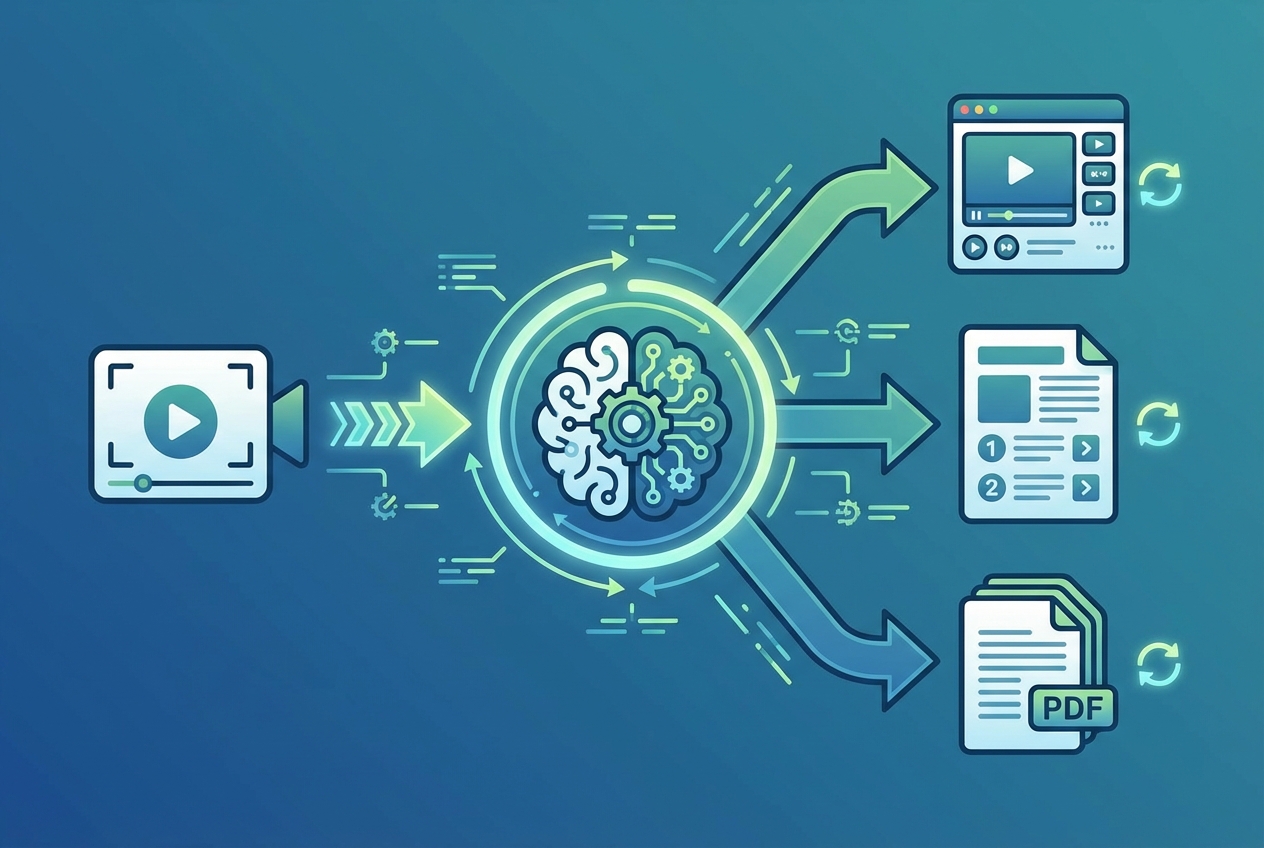
- StorytoDoc uses AI to generate voice-overs, video avatars, and complete interactive documentation from screen recordings. Then it auto-updates everything when your product changes. One recording becomes interactive video, step-by-step article, and PDF.
- Gravity Dog analyzes your UI to generate documentation. Early stage but interesting for API-heavy products.
The real workflow for AI tools for product managers in 2026 looks like this: Record your product workflow once. AI generates the video, creates feature how-tos, and produces the PDF. Embed it in your help center. When you ship an update, click one button. Everything regenerates. This product documentation software approach means you ship docs with features instead of weeks later.
Why Most PMs Get AI ROI Wrong
The PMs reporting negative AI ROI are typically using AI for the wrong tasks: generating first drafts of content they could write faster themselves, or creating documentation that still requires manual maintenance.
The PMs reporting positive ROI? They're using AI for the high-leverage, repetitive parts: automated updates, format conversion, and keeping 50+ guides current without touching each one manually.
The Hidden Cost of Documentation Debt for PMs
Let's talk about the part that doesn't show up in tool comparisons: what happens when documentation goes wrong.
The Numbers
- SaaS leaders spend up to 8.5% of ARR maintaining help content that still fails users
- Knowledge workers spend 9.3 hours per week searching for information because documentation is scattered or outdated
- Workers toggle between apps 1,200 times per day, costing 9% of annual work time
That's not a documentation problem. That's a productivity tax on your entire organization.
The Feature Adoption Connection
Here's why PMs should care most: customers who adopt new features regularly are 31% less likely to churn. And effective onboarding improves customer retention by 50%.
Great user-facing documentation drives adoption. Outdated documentation kills it. Every feature you ship without updating the docs is a feature most users will never discover.
The math is simple. If the real cost of bad documentation is $10 per avoidable support ticket, and outdated docs increase ticket volume by 23%, you're paying a documentation debt tax on every support interaction.
What This Means for Your Tool Choice
When evaluating product documentation software, don't just compare creation features. Compare maintenance costs. The tool that's cheapest to create with might be the most expensive to maintain.
The right product documentation software with auto-updating capabilities at $149/month might save you 20+ hours per month of manual rework. That's the best documentation tool for product managers who need to reduce documentation time and focus on strategy. It's not a software expense. It's recovering a PM's most valuable time.
Your Documentation Stack Is a Competitive Advantage
Here's what the best PMs have figured out: choosing the right product manager documentation tools isn't about buying the most expensive software. It's about finding tools that handle both internal alignment and user-facing adoption. Documentation isn't an afterthought. It's a product.
The PMs who treat both sides of documentation seriously (internal alignment AND user-facing adoption) build products that users actually understand. Their features get adopted. Their support teams aren't drowning. Their churn numbers look different.
What you can do this week:
- Audit your current documentation. List every tool you use for internal docs and user-facing docs. Count the gaps.
- Pick one side to fix first. If feature adoption is low, start with user-facing tools. If your team is misaligned, start with internal tools.
- Test one new tool. Most tools in this guide offer free trials. See StorytoDoc pricing for user-facing documentation that auto-updates, or try ChatPRD for AI-powered internal docs.
The product managers who win in 2026 aren't the ones with the most features shipped. They're the ones whose features get used.
Documentation built for PMs starts with choosing the right tools for both sides of the job.
In Doc We Trust.

![Video Documentation Service: The Complete Guide for SaaS Teams [2026]](/images/blog/video-documentation-service-saas-guide-featured.png)
![10 Product Documentation Tools for SaaS [Compared 2026]](/images/blog/product-documentation-software-saas-featured.png)