

Your product shipped yesterday. Your documentation is already wrong.
Here's the uncomfortable truth I've discovered talking to product managers: 80% of SaaS companies have at least half their documentation outdated at any given time. Everyone knows it's a problem. Most people ignore it because fixing documentation feels like pushing a boulder uphill that rolls back down every sprint.
But here's what changed. AI documentation tools have matured from experimental toys into serious platforms that actually solve this problem. Not by generating generic content, but by keeping your documentation in sync with your product automatically.
This guide covers what other comparisons skip. You'll learn what an AI documentation tool actually does (beyond the buzzwords), how to evaluate the 10 best options for SaaS teams in 2026, and how to calculate whether the investment makes sense for your specific situation. Most importantly, you'll understand which type of AI documentation tool fits your needs because "AI" covers everything from basic writing assistants to fully automated documentation systems.
What Is an AI Documentation Tool? (And Why the Definition Matters)
An AI documentation tool uses artificial intelligence to create, maintain, or improve product documentation. That definition is broad for a reason. The category includes everything from ChatGPT plugins that help you write faster to specialized platforms that automatically update your entire documentation library when your product changes.
The Three Types of AI Documentation Tools
Understanding these categories will save you from buying the wrong solution.
Type 1: AI Writing Assistants
These tools help humans write documentation faster. Think grammar checkers on steroids. They suggest content, fix tone, generate first drafts from prompts, and improve readability. Tools like ChatGPT, Jasper, and basic AI features in platforms like Document360 fall here.
The limitation? You still do the work. When your product changes, you manually update everything. The AI just makes the writing part faster.
Type 2: AI Documentation Generators
These tools create documentation from existing assets. Feed them code, API specs, or transcripts, and they produce structured documentation automatically. Mintlify, DocuWriter.ai, and Theneo operate in this space.
Better than writing assistants, but still reactive. You trigger generation manually, and when products change, someone needs to initiate the update process.
Type 3: AI Auto-Updating Documentation Platforms
This is the newest category. These platforms don't just create documentation. They maintain it. When your product changes, the documentation updates automatically without manual intervention. StorytoDoc and emerging platforms like Promptless and Ferndesk target this space.
The difference is fundamental. Type 1 and Type 2 tools make documentation creation faster. Type 3 tools solve the maintenance problem that causes 80% of documentation to become outdated.
Why Traditional Documentation Tools Fail SaaS Teams
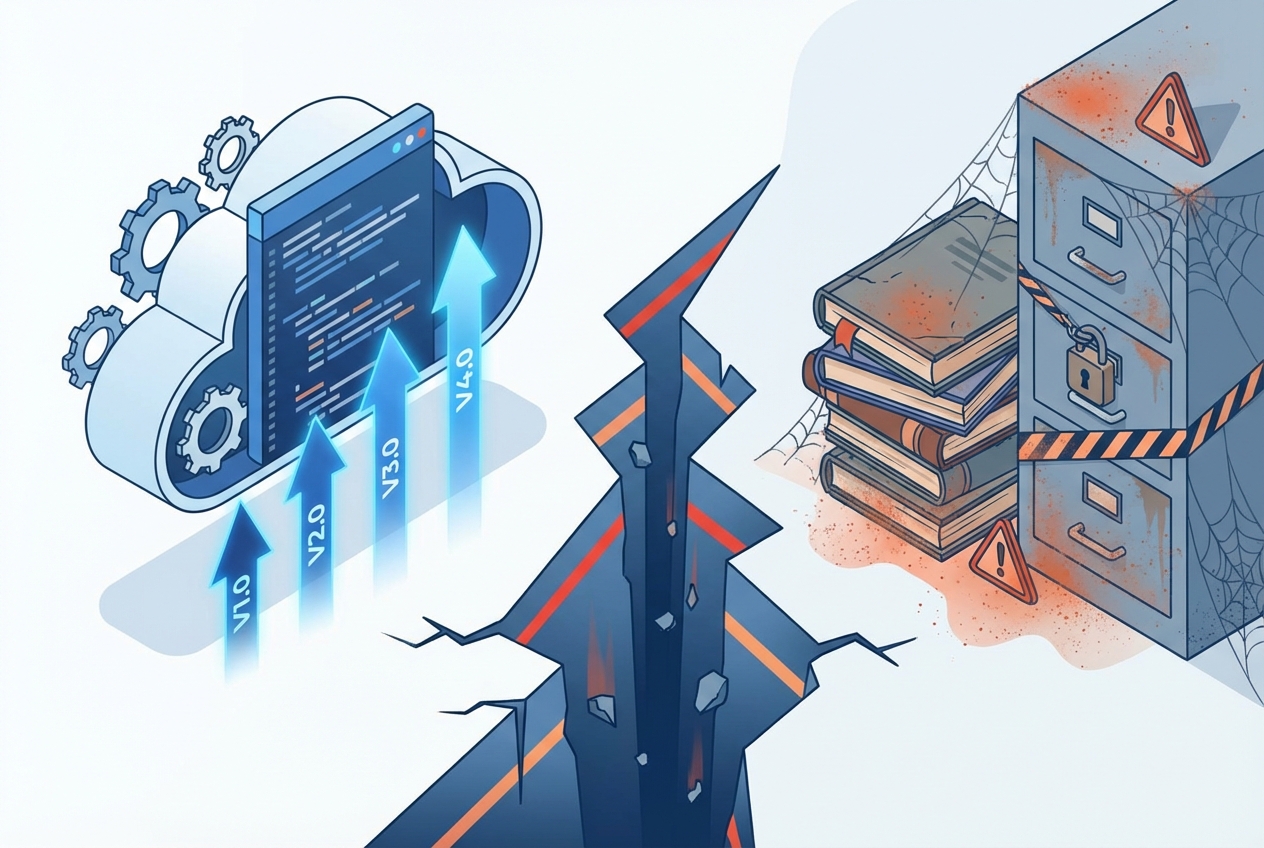
Here's the pattern I see repeatedly. A team invests heavily in documentation. They create beautiful guides, record helpful videos, build a comprehensive knowledge base. Six months later, half of it shows screenshots from three versions ago.
The problem isn't creation. Modern teams can create documentation. The problem is maintenance. Your product changes every two weeks. Your documentation doesn't.
Traditional tools treat documentation as a publishing problem. Create content, format it, deploy it. Done. But SaaS documentation is a synchronization problem. Your docs need to evolve at the same velocity as your product. And that's impossible with manual processes.
Key Features to Look for in an AI Documentation Tool
Not all AI documentation features matter equally. Here's what actually moves the needle for SaaS teams.
Auto-Update Capabilities
This is the killer feature. Can the tool automatically detect product changes and update documentation without human intervention?
Some tools claim "auto-update" but require you to manually trigger updates. Others genuinely monitor your product and refresh content when things change. The difference between these approaches is the difference between saving 20% of your time and saving 90%.
Questions to ask vendors:
- How does your tool detect when my product changes?
- What happens when UI elements move or get renamed?
- How much manual review is required after auto-updates?
- Can you update all my documentation with one action, or only individual pieces?
The best AI documentation tools offer one-click updates that keep all content synchronized when your product evolves.
Multi-Format Output
Creating documentation once and getting multiple formats automatically multiplies your ROI. Look for tools that generate:
- Interactive video guides (users can click through, not just watch)
- Step-by-step written articles with screenshots
- PDF exports for offline sharing
- Embeddable widgets for in-app help
Single-format tools force you to maintain parallel documentation in different mediums. Multi-format tools let you capture once and publish everywhere.
AI-Powered Content Generation
Beyond basic text generation, evaluate:
Intelligent Screenshot Capture: Does the AI automatically capture relevant screenshots during workflow recording, or do you manually add images?
Contextual Descriptions: Can the AI generate accurate, helpful descriptions for each step based on what's happening on screen?
Voice and Video Generation: Does the tool create professional narrated videos automatically, or do you record audio separately?
SEO Optimization: Does generated content include proper metadata, titles, and structure for search visibility?
Integration Capabilities
Your AI documentation tool needs to work with your existing stack. Critical integrations include:
- Help Centers: Zendesk, Intercom, Freshdesk embedding
- Knowledge Bases: Confluence, Notion, GitBook compatibility
- Communication Tools: Slack notifications for updates
- Development Tools: GitHub, Jira for change tracking
- Video Platforms: YouTube, Wistia, Vimeo for hosting
The best tools embed anywhere with a single line of code, not complex technical integrations.
Analytics and Insights
You need to know what's working. Look for:
- View counts per article/video
- Search queries that return no results (content gaps)
- User engagement patterns (where do people drop off?)
- Impact metrics (ticket deflection, time-to-resolution)
Without analytics, you're guessing about documentation effectiveness.
The 10 Best AI Documentation Tools for SaaS in 2026
I've evaluated these tools based on what matters for SaaS product documentation: auto-update capabilities, ease of use, output quality, and total cost of ownership.
1. Document360
Best for: Teams needing a traditional knowledge base with AI writing assistance.
Document360 offers a robust knowledge base platform with their AI assistant "Eddy AI" for content generation. It can create articles from prompts, generate SEO metadata, and apply style guidelines automatically.
Key Capabilities:
- AI Writing Agent for content generation
- Knowledge base management
- Multiple publishing options
- Analytics and reporting
- Workflow and approval processes
Pricing: Starts at $199/month for Business plan
Best for: Technical writing teams who want AI assistance but prefer traditional documentation workflows.
2. Mintlify
Best for: Developer-focused teams needing beautiful API and technical documentation.
Mintlify specializes in technical documentation with strong AI integration. It generates documentation from code comments, maintains consistency across your docs, and provides excellent search and navigation.
Key Capabilities:
- AI-powered writing and editing
- Code-based documentation generation
- Modern, clean design templates
- Built-in search and analytics
- GitHub integration for version control
Pricing: Free tier available, paid plans start at $100/month
Best for: Engineering teams documenting APIs, SDKs, and developer tools.
3. StorytoDoc
Best for: SaaS teams who need documentation that stays current automatically with product changes.
StorytoDoc creates complete "stories" from screen recordings: interactive video guides, step-by-step articles, and PDFs, all branded automatically. The standout feature is one-click updates. When your product changes, click one button and AI re-records your workflows, regenerating all content formats automatically.
Key Capabilities:
- 5-minute documentation creation (record workflow, AI generates everything)
- One-click auto-updates when products change
- Interactive HTML guides users can click through
- AI voice-over and avatar video generation
- Embeddable Learning Center setup in one day
- Multi-format output from single capture
Pricing: Starts at $49/month (Starter), $149/month (Growth), Custom plans from $499/month
Best for: Product managers and customer success teams at fast-moving SaaS companies where documentation maintenance is the primary pain point.
4. Scribe
Best for: Quick how-to guides and process documentation.
Scribe captures your clicks and automatically generates step-by-step guides with screenshots. Fast for creating individual guides, though updates require re-recording entirely.
Key Capabilities:
- Automatic screenshot capture
- Step-by-step guide generation
- Browser extension for easy capture
- Sharing and embedding options
- Team collaboration features
Pricing: Free tier available, Pro at $29/user/month, Enterprise pricing available
Limitations: No video output, no auto-update (requires manual re-capture when products change), static screenshots only.
Best for: Teams needing quick, simple how-to guides where maintenance isn't the primary concern.
5. Loom
Best for: Quick video explanations and async communication.
Loom isn't a documentation tool per se, but many teams use it for product walkthroughs. You record your screen, share a link. Simple.
Key Capabilities:
- Easy screen recording
- Viewer analytics
- Comments and reactions
- AI-generated summaries and chapters
- Integrations with common tools
Pricing: Free tier available, Business at $15/user/month
Limitations: No auto-updates (you re-record everything when products change), passive videos only (no interactivity), video-only output.
Best for: Quick, informal explanations rather than structured product documentation.
6. Theneo
Best for: API documentation from OpenAPI specs.
Theneo generates documentation automatically from API specifications. Strong for technical API docs with AI-powered content generation and interactive API explorers.
Key Capabilities:
- Import from OpenAPI, Postman, GraphQL
- AI-generated descriptions and examples
- Interactive API playground
- Version management
- Custom branding
Pricing: Starts at $120/month
Best for: API-first companies needing automated API reference documentation.
7. GitBook
Best for: Teams who want documentation-as-code with AI assistance.
GitBook combines knowledge management with Git-based workflows. AI features help with search, content suggestions, and writing assistance.
Key Capabilities:
- Git synchronization
- AI-powered search
- Collaborative editing
- Public and private documentation
- Change tracking and versioning
Pricing: Free for small teams, Plus at $8/user/month, Pro at $15/user/month
Best for: Engineering teams who prefer Git-based documentation workflows.
8. Notion AI
Best for: Teams already using Notion who want AI writing assistance.
Notion AI adds content generation and editing capabilities to Notion's flexible workspace. Useful for teams who want documentation in their existing Notion setup.
Key Capabilities:
- AI writing and editing
- Summarization and translation
- Integration with Notion databases
- Team collaboration
- Flexible page structures
Pricing: Notion AI is $10/member/month add-on
Limitations: No specialized documentation features, no auto-updates, no video generation.
Best for: Teams heavily invested in Notion who want basic AI writing assistance.
9. Guru
Best for: Internal knowledge management with AI-powered search.
Guru focuses on internal team knowledge with AI that surfaces relevant information. Strong for keeping teams aligned, less focused on customer-facing documentation.
Key Capabilities:
- AI-powered search across content
- Verification workflows for accuracy
- Browser extension for easy access
- Slack and other integrations
- Analytics on knowledge usage
Pricing: Starts at $15/user/month
Best for: Internal teams needing AI-assisted knowledge management.
10. Ferndesk
Best for: AI-native help center with automatic maintenance.
Ferndesk positions as a help center that stays updated automatically. It analyzes support tickets to identify documentation gaps and generates draft content for review.
Key Capabilities:
- AI article drafting from tickets
- Automatic gap identification
- Support ticket analysis
- Help center hosting
- SEO optimization
Pricing: Starts at $39/month
Best for: Support-heavy SaaS companies wanting AI assistance with help center content.

How to Choose the Right AI Documentation Tool
The right choice depends on your primary pain point. Here's a framework.
Choose Based on Your Biggest Problem
If maintenance is killing you: You need auto-update capabilities. StorytoDoc, Ferndesk, or Promptless. Other tools will speed up creation but won't solve the maintenance treadmill.
If creation takes too long: Any AI writing assistant helps. Document360, Notion AI, or even ChatGPT integrated into your workflow. These tools make writing faster without changing your fundamental process.
If technical documentation is the priority: Mintlify, GitBook, or Theneo. These specialize in developer-facing content with code integration and API support.
If video content matters: StorytoDoc or Loom. Most documentation tools focus on text. These produce video output (though only StorytoDoc auto-updates video content).
Consider Total Cost of Ownership
Sticker price doesn't tell the whole story. Calculate:
Time spent creating: How many hours per piece of documentation?
Time spent maintaining: How often do you update, and how long does each update take?
Opportunity cost: What could your team be doing instead?
A tool that costs more but eliminates maintenance time often has lower total cost than a cheap tool that requires constant manual updates.
Evaluate Update Frequency Match
How often does your product change? The answer determines which approach works.
Weekly/bi-weekly releases: You need genuine auto-update capabilities. Manual update processes won't keep pace.
Monthly releases: AI-assisted tools with manual triggers can work if you build update workflows into your release process.
Quarterly releases: Traditional tools with AI writing assistance may suffice.
The ROI of AI Documentation Tools
Let's talk numbers. What's the actual business impact?
Direct Cost Savings
Documentation creation time: Traditional documentation takes 4-8 hours per comprehensive guide. AI tools reduce this to 30 minutes to 2 hours. At a $75/hour loaded cost, that's $225-$450 saved per guide.
Maintenance elimination: Each support ticket costs roughly $10. Auto-updating documentation prevents the outdated-doc-causes-ticket cycle that creates 20-40% of support volume.
Support ticket reduction: Companies with strong documentation see 20-66% fewer support tickets. At scale, this represents significant savings.
Indirect Benefits
Faster onboarding: Good documentation reduces customer onboarding time by 50%. Faster time-to-value means lower churn and higher expansion revenue.
Reduced churn: 44% of SaaS customers churn because they can't achieve desired outcomes. Current, accurate documentation helps users succeed.
Team efficiency: When documentation stays current, internal teams (support, success, sales) spend less time searching for accurate information or creating ad-hoc explanations.
Sample ROI Calculation
Consider a SaaS company with:
- 500 support tickets/month
- 30% caused by documentation issues (industry average)
- $10 cost per ticket
Annual cost of documentation-related tickets: 500 x 0.30 x $10 x 12 = $18,000
An AI documentation tool that cuts documentation-related tickets by 50% saves $9,000 annually in direct ticket costs alone, before accounting for maintenance time savings or churn reduction.
Most documentation ROI calculations show 200-500% returns within the first year.
Common Mistakes When Buying AI Documentation Tools
Avoid these traps that I see teams fall into repeatedly.
Mistake 1: Buying for Creation, Ignoring Maintenance
The exciting demos show AI generating beautiful documentation in seconds. What they don't show is what happens three months later when your product has changed and your documentation hasn't.
Solution: Ask vendors specifically about update workflows. How does documentation stay current after the initial creation?
Mistake 2: Confusing AI Writing with AI Documentation
ChatGPT can help you write better. It can't keep your documentation synchronized with your product. These are fundamentally different problems.
Solution: Be clear about whether you need writing assistance or documentation automation. They're different tools for different problems.
Mistake 3: Underestimating Implementation
Some AI documentation tools require significant setup: training AI models on your content, configuring integrations, establishing workflows. Others work out of the box.
Solution: Ask about time-to-value. How quickly can you create and publish your first documentation? StorytoDoc promises first documentation in 5 minutes; others may take weeks of setup.
Mistake 4: Ignoring Output Format Needs
A tool that produces beautiful text documentation doesn't help if your users prefer video. A tool that creates videos doesn't help if you need structured knowledge base articles.
Solution: Inventory your documentation needs across all channels before evaluating tools. Match tool outputs to actual requirements.
Mistake 5: Choosing Based on Current State Only
Your documentation needs will grow. The tool that works for 10 guides may not scale to 100. The tool perfect for one product may not handle multiple products or languages.
Solution: Evaluate for where you'll be in 2 years, not where you are today.
Implementation Best Practices
Once you've chosen a tool, here's how to succeed with it.
Start with High-Impact Documentation
Don't try to document everything at once. Begin with:
- Highest-volume support topics: What questions generate the most tickets?
- Critical onboarding flows: What do new users need to accomplish first?
- Recently changed features: What's causing confusion due to outdated docs?
Quick wins build momentum and demonstrate ROI.
Establish Update Triggers
For auto-updating tools, configure what triggers updates. For manual-update tools, build update workflows into your release process:
- Add "update documentation" to your release checklist
- Assign documentation owners for each product area
- Set calendar reminders for documentation audits
Measure Before and After
You can't prove ROI without baselines. Before implementation, measure:
- Documentation creation time per guide
- Support tickets related to documentation
- Time spent maintaining existing documentation
- User satisfaction with current documentation
After implementation, measure the same metrics. The comparison tells you whether the tool delivers value.
Build a Documentation Culture
Tools don't fix culture. If nobody prioritizes documentation, no tool will solve your problems. Successful teams:
- Include documentation in definition of done
- Celebrate documentation improvements
- Give teams time specifically for documentation work
- Make documentation quality visible (dashboards, metrics)

The Future of AI Documentation
Where is this category heading? A few trends are clear.
Deeper Product Integration
Future AI documentation tools won't just record workflows. They'll integrate directly with product analytics, detecting usage patterns and automatically creating documentation for features users struggle with.
Predictive Documentation
Instead of reactive (something changed, update docs), we'll see predictive systems that draft documentation before features ship, based on design specs and product requirements.
Personalized Documentation
AI will serve different documentation to different users based on their role, experience level, and previous interactions. The same feature will be explained differently to a new user versus a power user.
Cross-Platform Intelligence
Documentation will become smarter about context. A user asking a question in your app will get contextual help that knows what they were doing. Support agents will get documentation surfaced automatically based on ticket content.
Making Your Decision
Here's the bottom line.
If documentation maintenance is your biggest pain point, and your product changes frequently, prioritize auto-update capabilities above everything else. StorytoDoc, Ferndesk, or Promptless are your shortlist.
If you need help writing better documentation faster but maintenance is manageable, AI writing assistants like Document360's Eddy AI, Notion AI, or dedicated tools like Jasper will help.
If your documentation is primarily API-focused and technical, Mintlify, Theneo, or GitBook deserve serious consideration.
If you're looking for quick, simple guides and don't need advanced features, Scribe offers good value for basic use cases.
Whatever you choose, remember: the real cost of bad documentation isn't the time spent creating it. It's the support tickets, the churned customers, and the team members answering the same questions because your docs show screenshots from three versions ago.
The right AI documentation tool doesn't just save time. It keeps your documentation alive.
What you can do this week: Calculate your documentation debt. Take 15 minutes to audit how many of your existing guides show outdated screenshots or describe deprecated workflows. I promise the number will surprise you.
In Doc We Trust.
Ready to see documentation that actually stays current?
Create your first auto-updating product guide in 5 minutes. No credit card required.
Start Your Free Trial
![Video Documentation Service: The Complete Guide for SaaS Teams [2026]](/images/blog/video-documentation-service-saas-guide-featured.png)
![10 Product Documentation Tools for SaaS [Compared 2026]](/images/blog/product-documentation-software-saas-featured.png)